앱App
일상에서 겪은 작은 불편함을 풀기 위해 꾸준히 만들어 나갑니다.We keep building to resolve the small, repeated frictions we felt in everyday life.
← 좌우로 넘겨 보세요 →← Drag to browse →


운동 기록 앱Workout log
세트별 무게와 횟수를 기록하고, 쉬는 시간은 타이머에 맡길 수 있습니다. 퍼스널 트레이닝(준비 중)에서는 트레이너와 회원이 스케줄을 맞추고 루틴을 추천받으며, 운동 기록 분석도 볼 수 있습니다.Log weight and reps for every set, and leave rest to the timer. Personal training (coming soon) will tie trainer–member scheduling and routine suggestions into one flow, with analysis of your workout records.
화면과 기능 보기Screens & features접기Close
운동 기록 앱Workout log
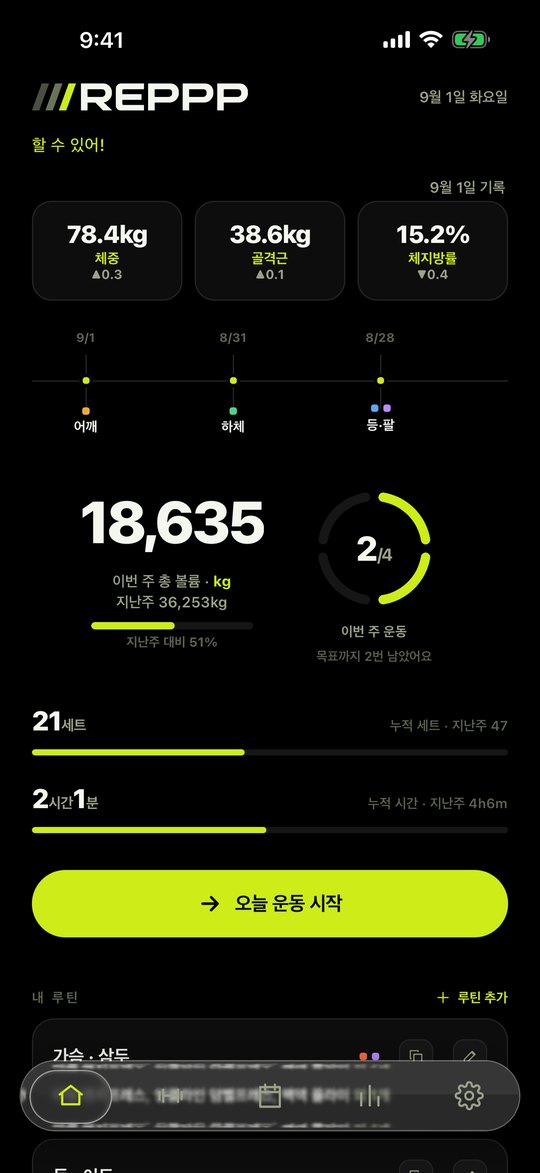
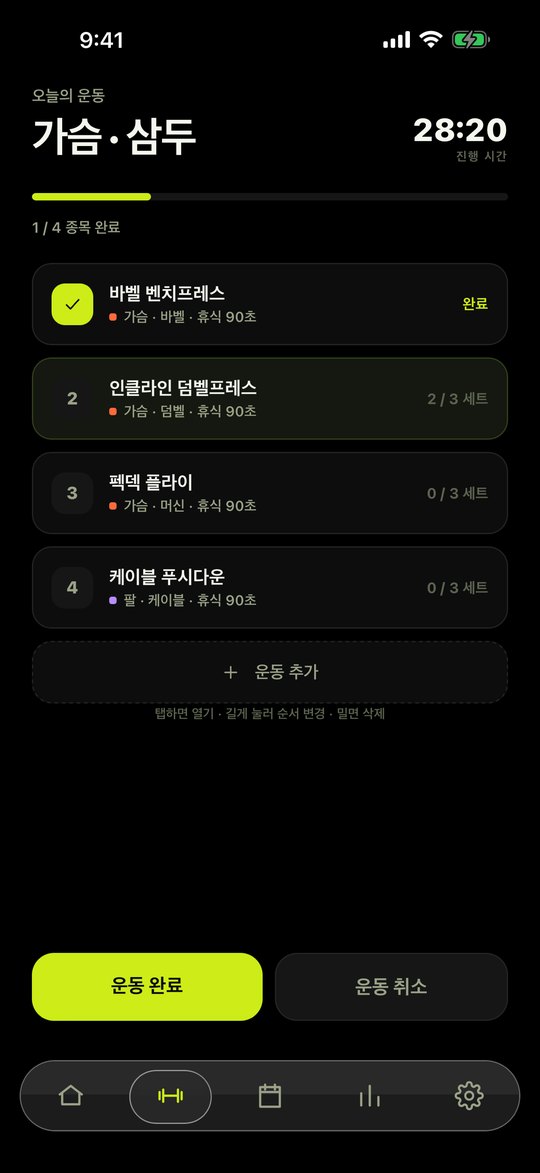
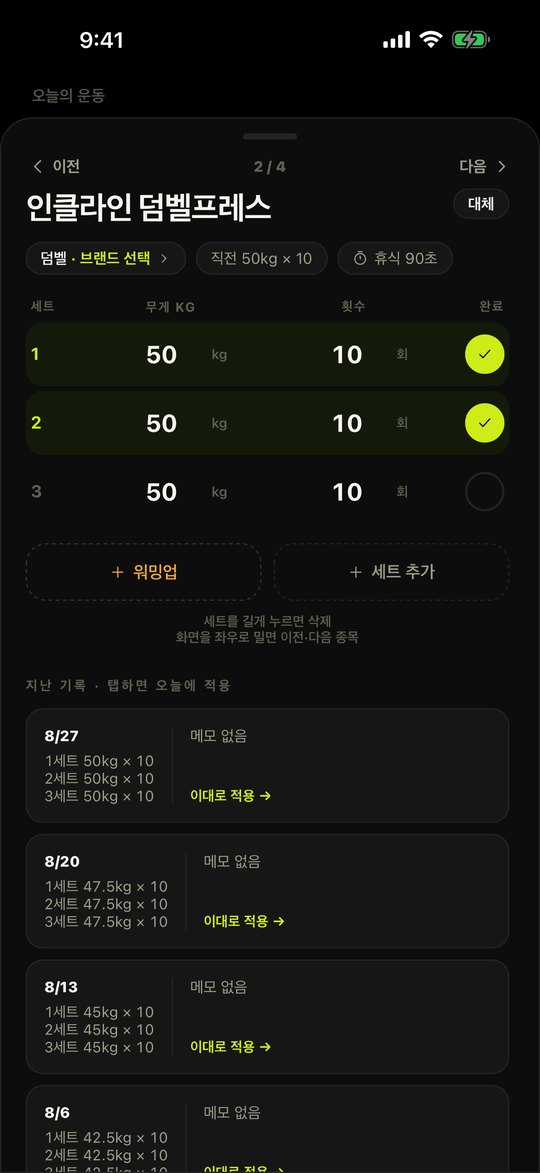
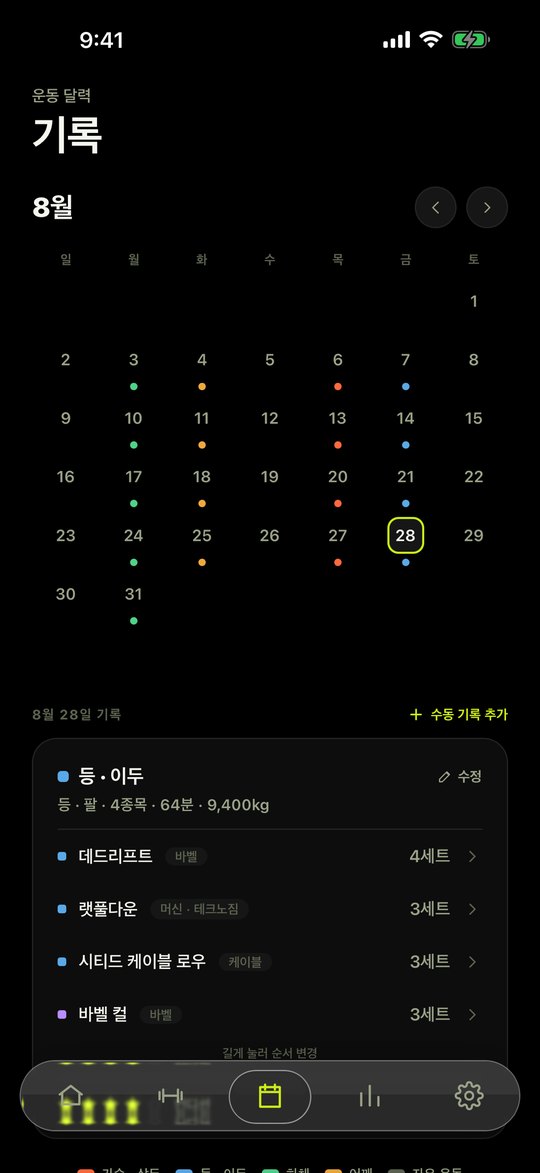
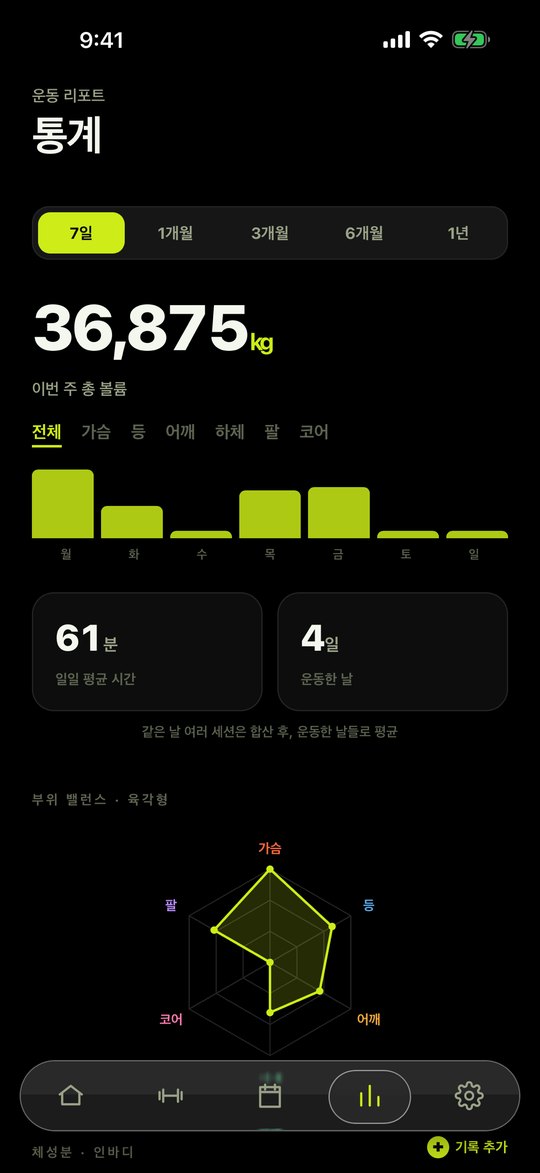
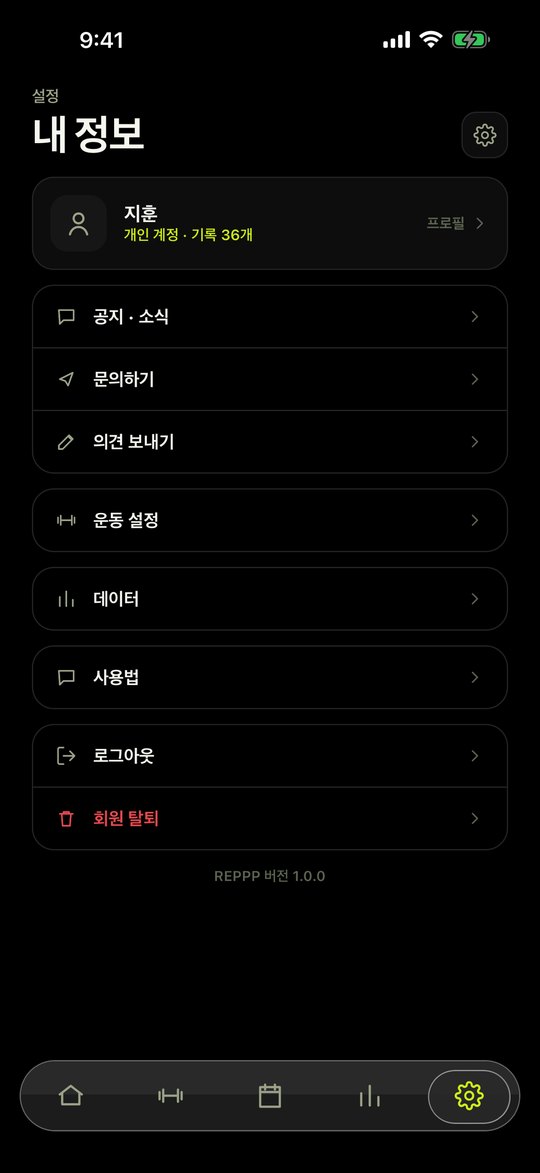
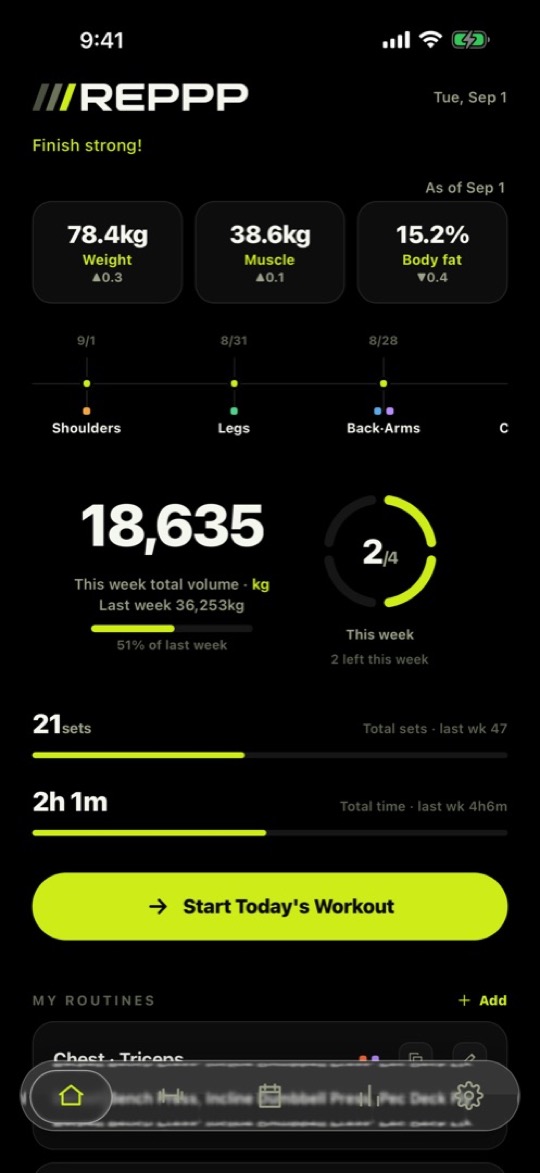
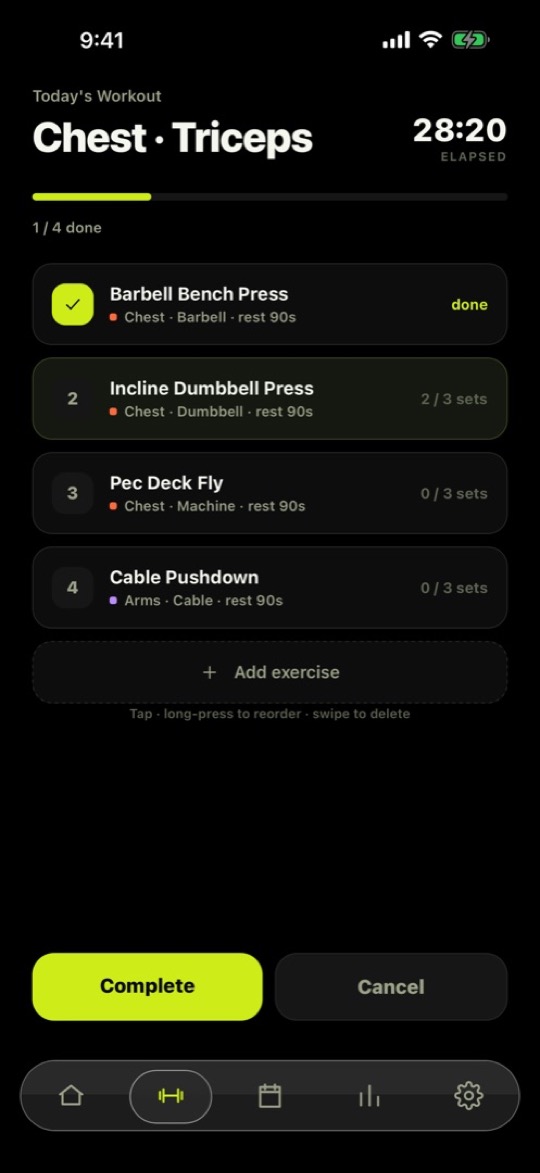
주요 기능Key features
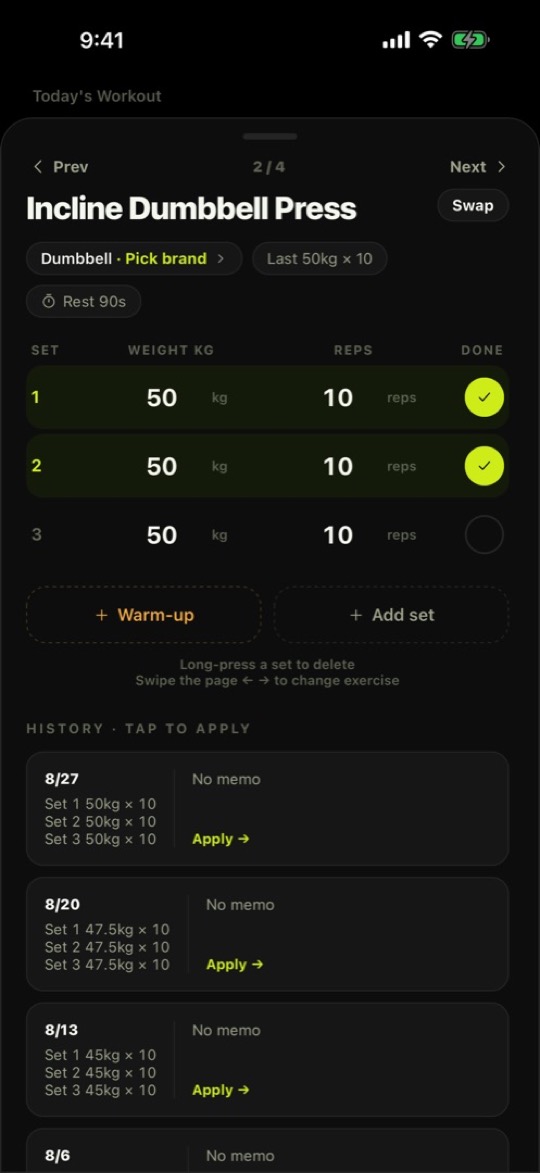
- 빠른 세트 기록Fast set logging무게와 횟수를 탭해서 입력하고 완료 체크 한 번으로 세트를 마칩니다.Tap weight and reps, then one check completes the set.
- 휴식 타이머Rest timer세트를 마치면 자동으로 시작됩니다. 잠금화면 알림과 진동으로 쉬는 시간이 끝났음을 알려줍니다.Starts when a set is done and alerts you on the lock screen with a vibration.
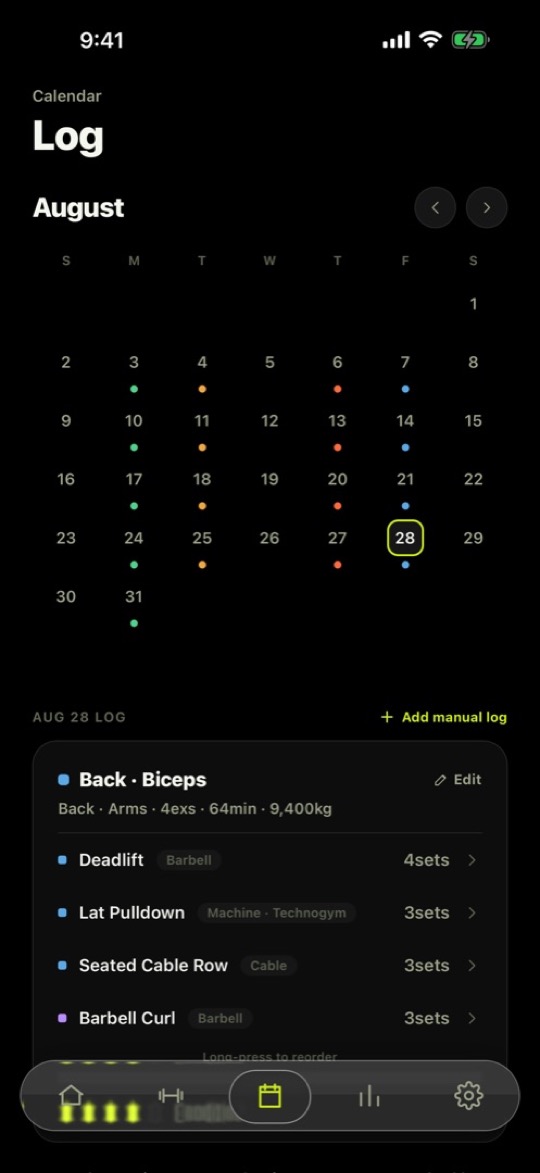
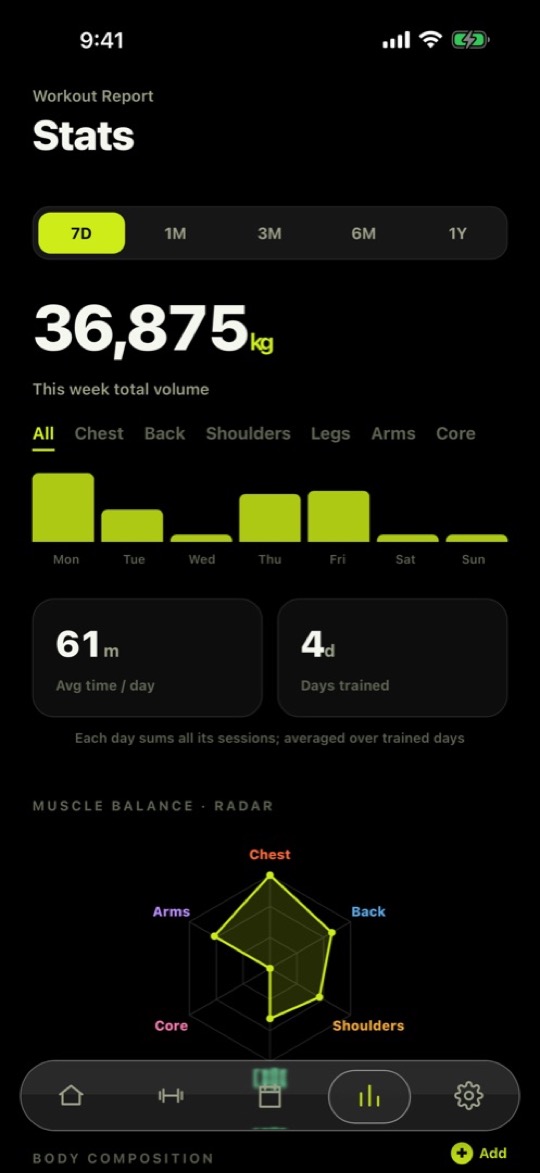
- 기록과 통계History & stats달력으로 지난 운동을 보고, 기간별 볼륨과 부위 밸런스를 확인합니다.Browse past sessions on a calendar and check volume and muscle balance by period.
상세 기능Details
- 부위·기구로 거르고 검색해서 종목을 고르고, 루틴으로 저장해 복사·수정합니다.Filter by muscle or equipment, search, and save picks as routines you can copy and edit.
- 지난 기록을 바로 보고, 버튼 한 번으로 이번 세트에 그대로 적용합니다.See your previous log and apply it to the current set in one tap.
- 워밍업 세트를 추가하고, 세트는 길게 눌러 삭제합니다. 종목마다 메모를 남깁니다.Add warm-up sets, long-press to delete a set, and keep a note per exercise.
- 같은 기구도 브랜드별로 무게를 따로 관리합니다.Track weights separately per equipment brand.
- 최근 기록을 바탕으로 다음에 들 무게를 제안합니다. 참고용이고 결정은 사용자 몫입니다.Next-weight suggestions come from your recent history — advice only.
- 체중·골격근·체지방을 기록하고, 원할 때만 Apple 건강에서 가져옵니다.Log weight, muscle mass and body fat; import from Apple Health only when you ask.
- 통계는 7일부터 1년까지 기간을 바꿔 보고, 부위별 막대와 육각형 밸런스로 봅니다.Stats run from 7 days to 1 year, with per-muscle bars and a six-axis balance chart.
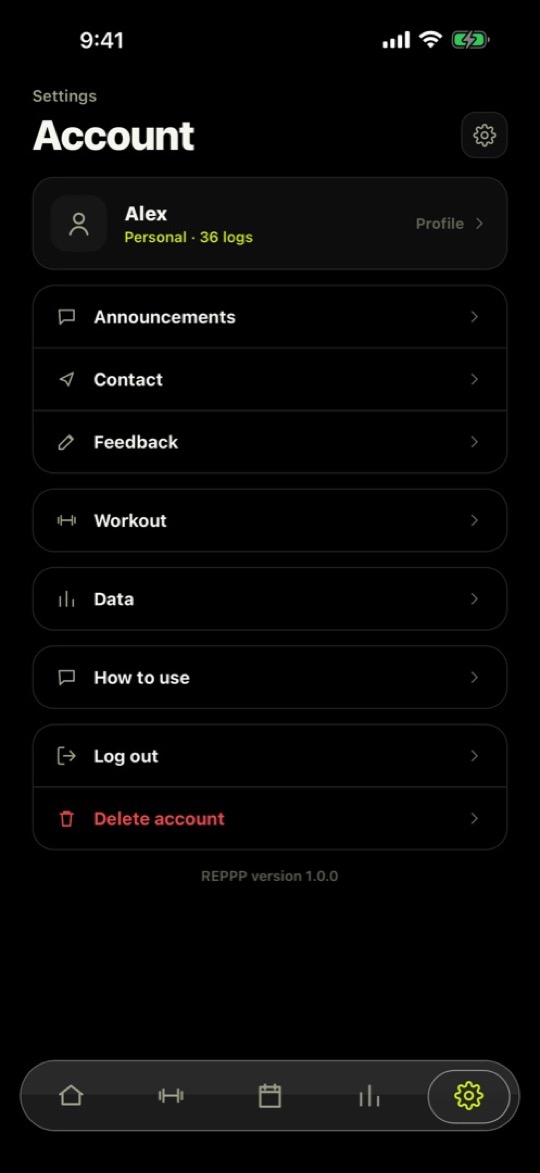
- Apple · 카카오 계정으로 로그인하고, 설정에서 문의와 회원 탈퇴를 할 수 있습니다.Sign in with Apple or Kakao; contact us or delete your account from Settings.
도움말Support개인정보 처리방침Privacy Policy이용약관Terms of Service
사용법How to use
- 로그인하고 시작Sign inApple 또는 카카오 계정으로 로그인하고, 홈에서 운동을 시작합니다.Sign in with Apple or Kakao, then start a workout from Home.
- 종목 담기Pick exercises부위·기구로 거르거나 검색해서 종목을 담습니다. 자주 하는 조합은 루틴으로 저장해 두면 다음엔 한 번에 불러옵니다.Filter by muscle or equipment, or search. Save a combination as a routine and load it in one tap next time.
- 세트 기록Log sets무게와 횟수를 입력하고 완료를 체크합니다. 지난 기록은 버튼 한 번으로 그대로 가져올 수 있습니다.Enter weight and reps and check it off. Apply your previous log with one tap.
- 쉬는 시간Rest세트를 마치면 타이머가 자동으로 시작됩니다. 폰을 내려놓아도 잠금화면 알림과 진동이 알려줍니다.The timer starts when you finish a set. Put the phone down; a lock-screen alert and vibration tell you when to go.
- 돌아보기Review기록 탭 달력에서 지난 운동을 보고, 통계 탭에서 기간별 볼륨과 부위 밸런스를 확인합니다.See past sessions on the History calendar, and check volume and balance by period in Stats.
PT 기능 · 준비 중PT mode · Coming soon
트레이너와 회원의 스케줄 조율과 루틴 추천을 하나로 잇고, 운동 기록을 분석합니다. 트레이너가 남긴 수업 기록과 코치 메모를 회원이 혼자 운동할 때 그 종목 화면에서 바로 볼 수 있습니다. 아직 앱스토어 버전에는 들어 있지 않고, 다음 업데이트에서 선보일 예정입니다.Trainer–member scheduling and routine suggestions come together in one flow, with analysis of workout records. Trainers leave class logs and coach notes, and members see them right on the exercise screen when they train alone. Not in the App Store version yet; planned for an upcoming update.
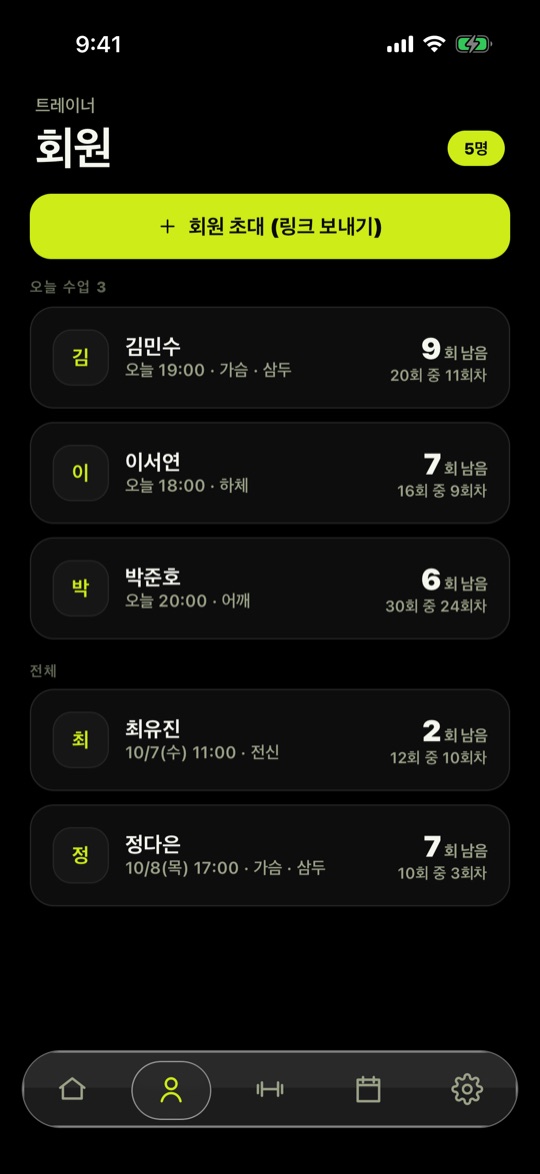
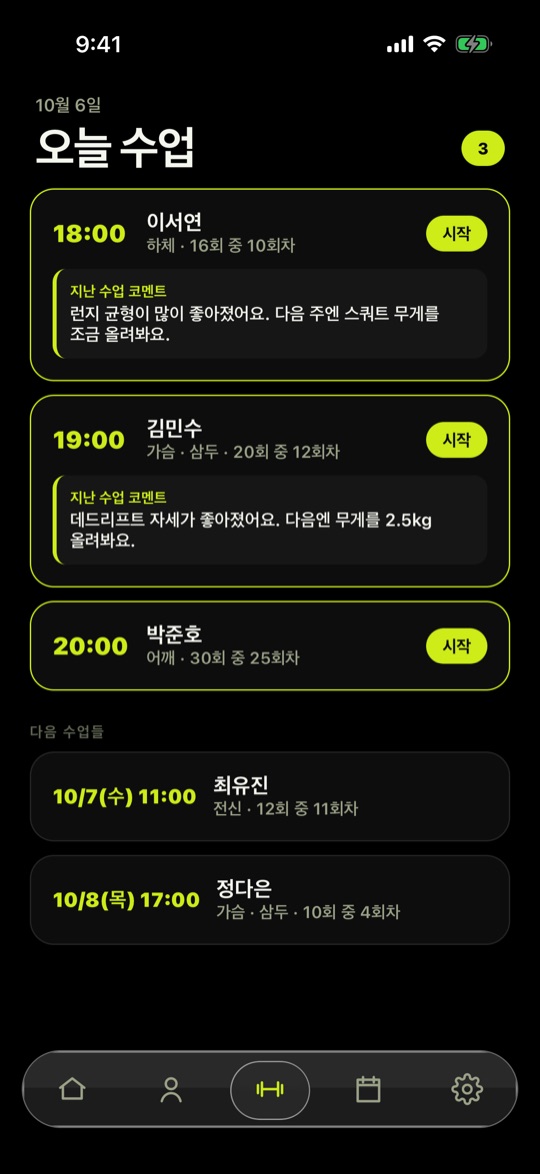
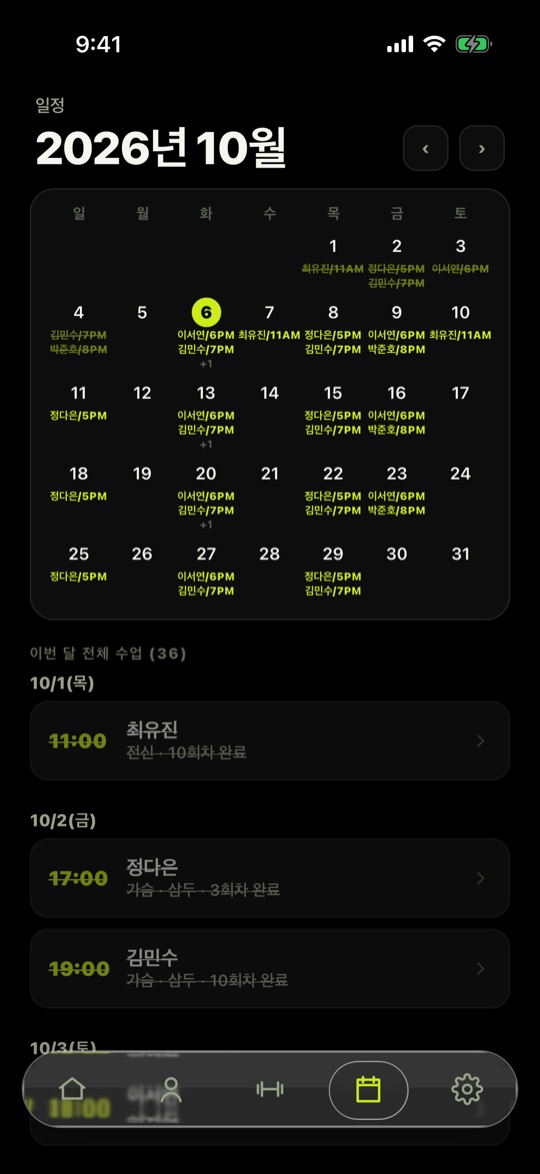
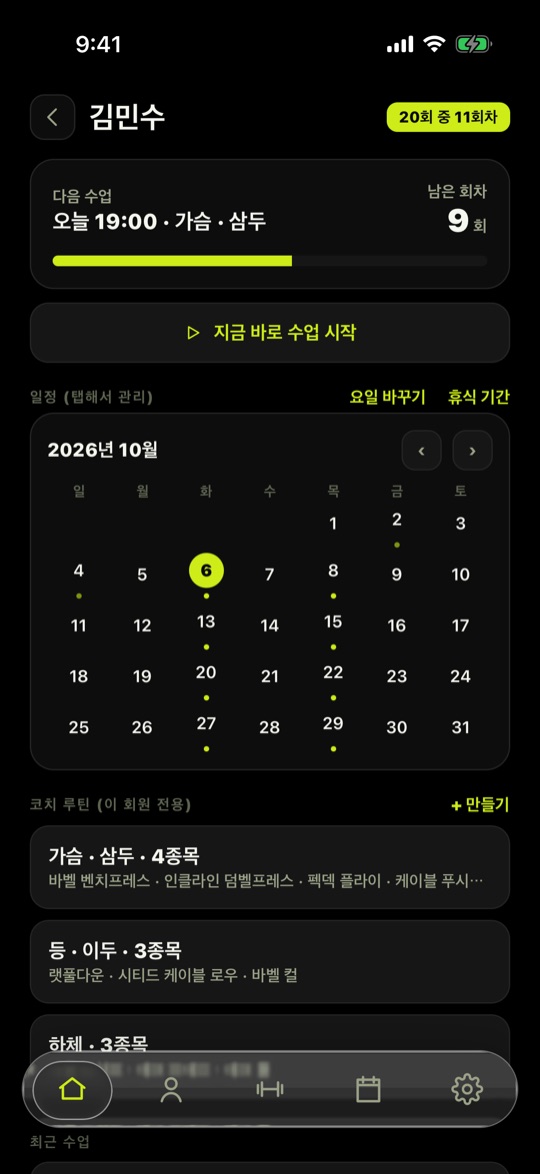
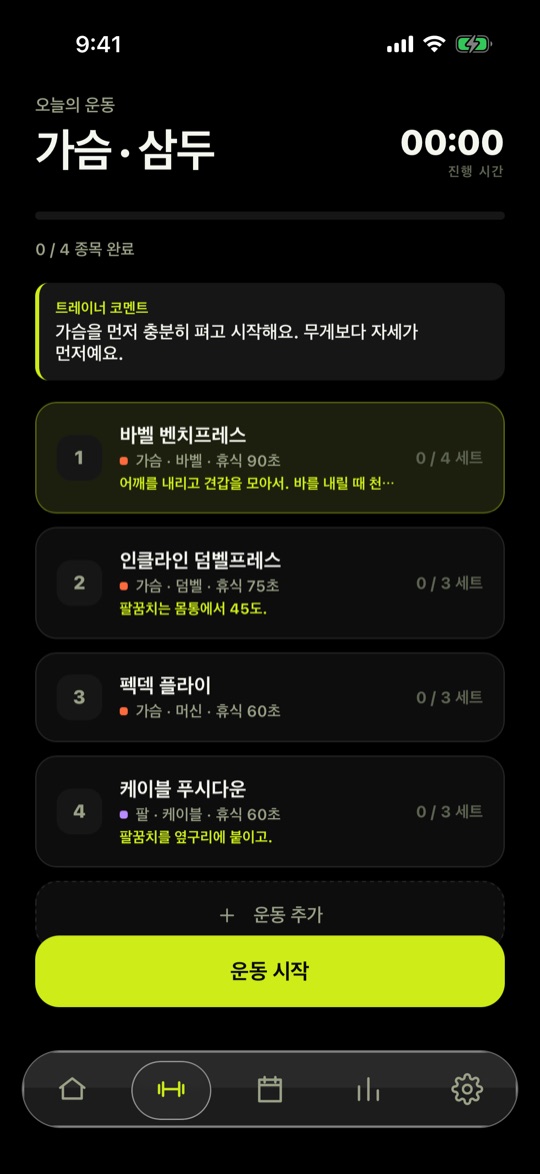
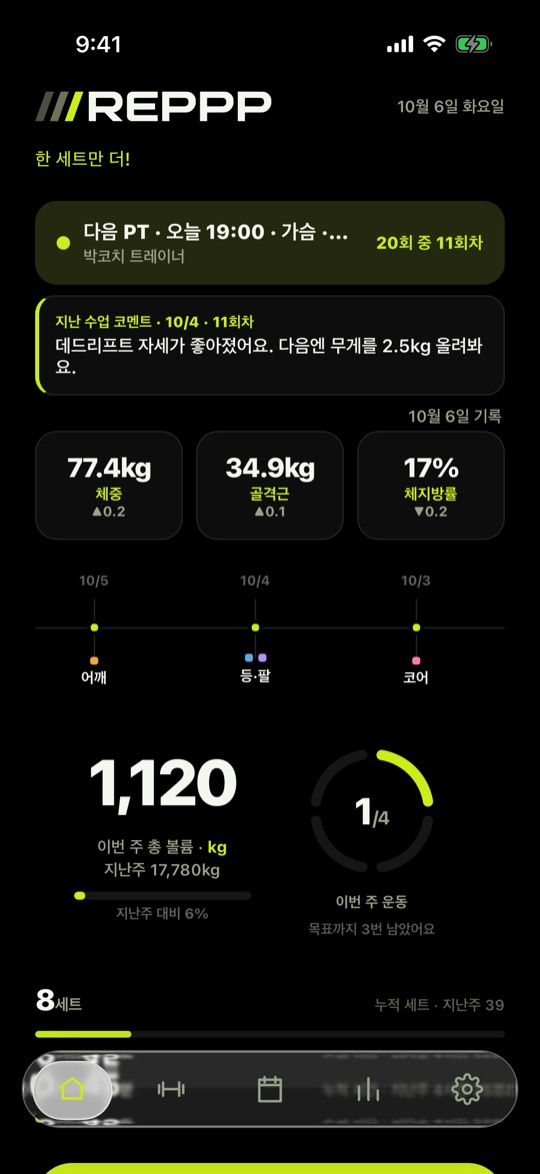
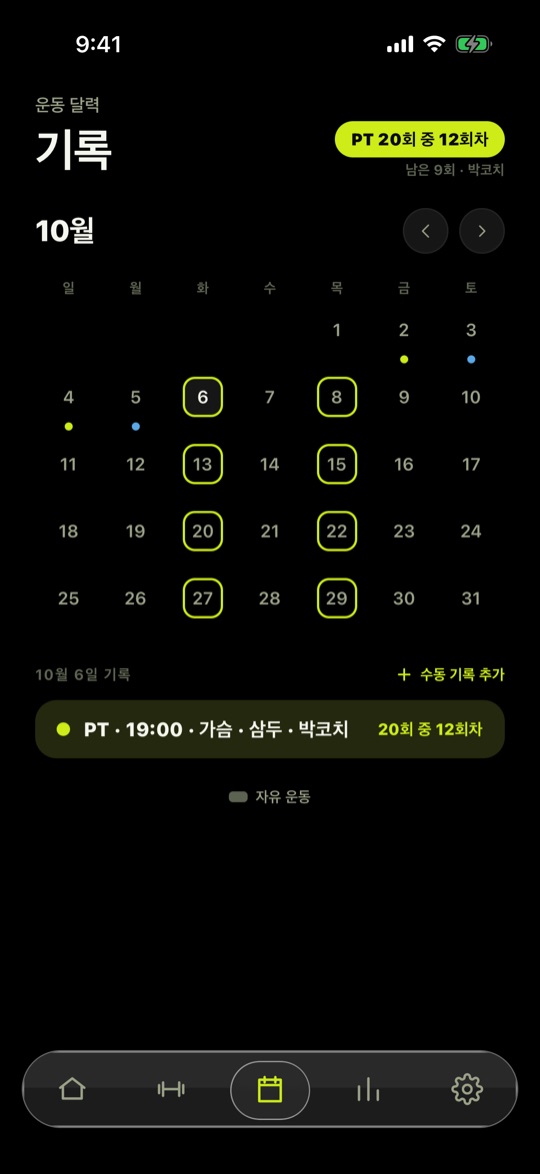
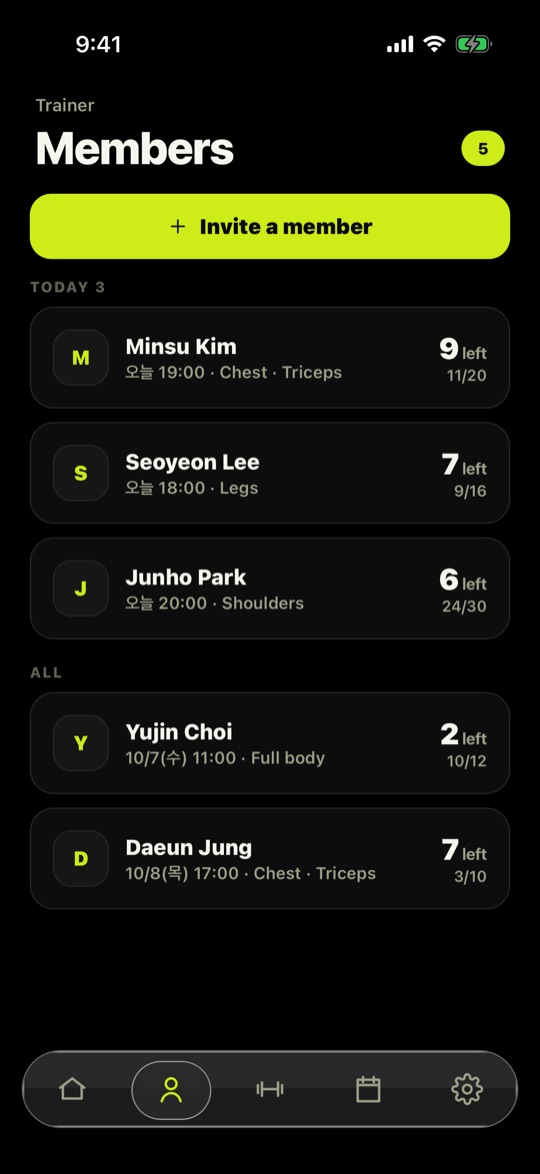
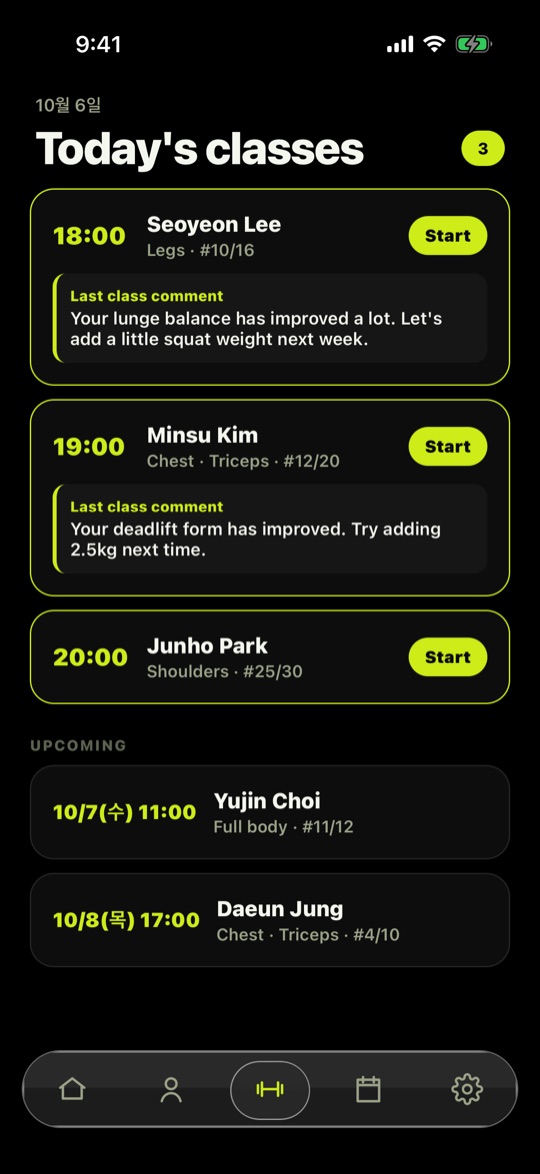
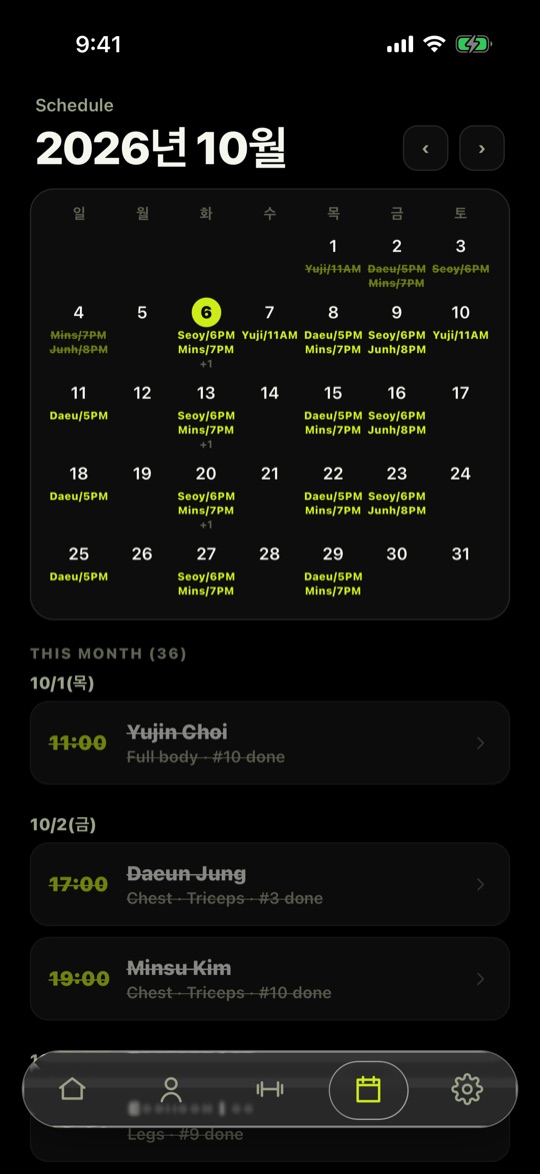
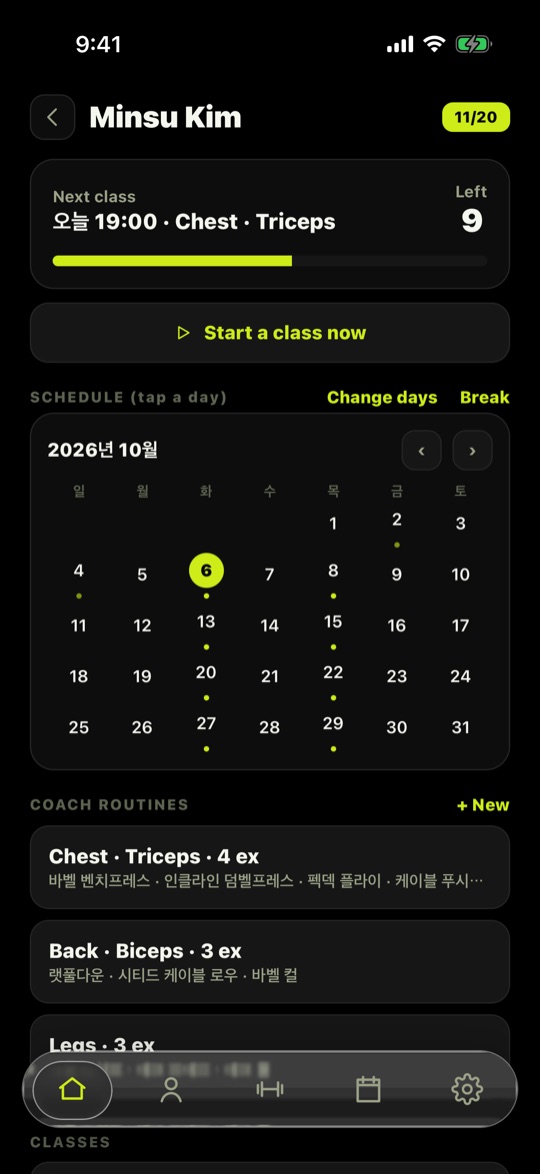
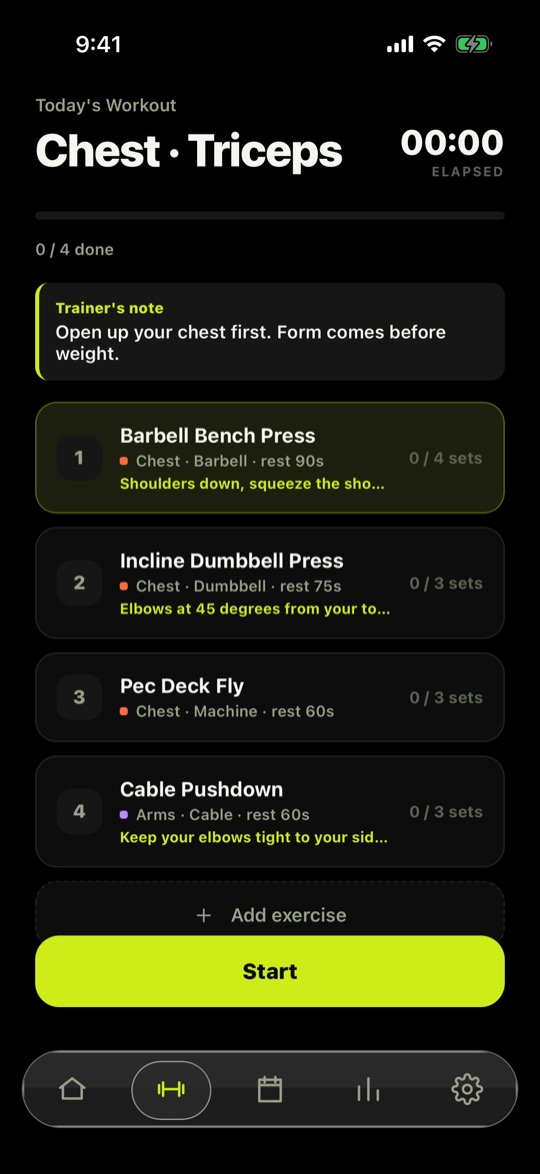
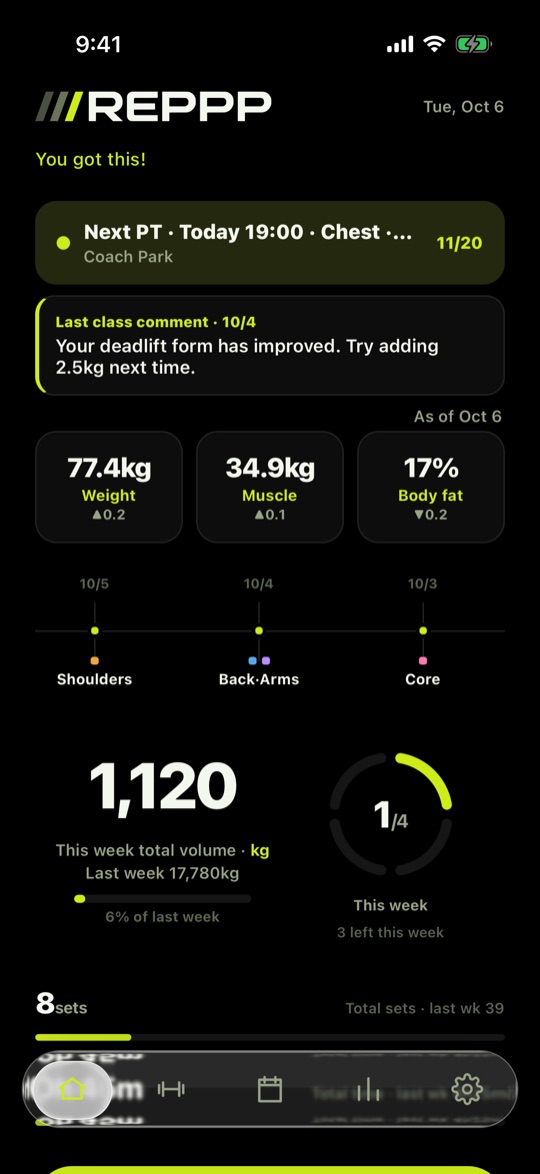
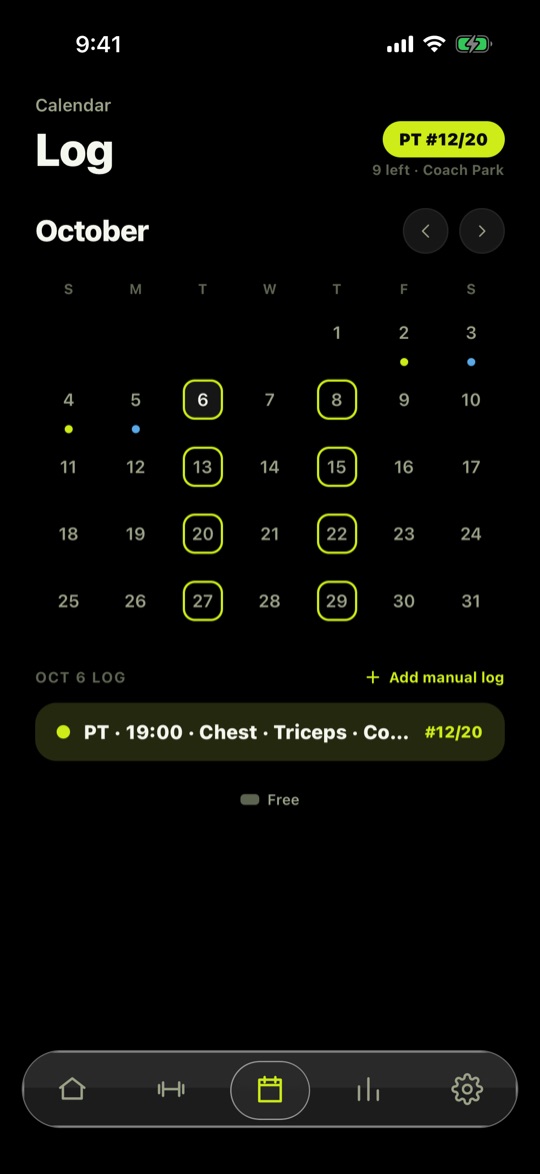
화면은 샘플 데이터입니다.Sample data shown.
- 트레이너가 회원을 초대Trainer invites a member트레이너가 초대 링크를 보내면 회원이 탭 한 번으로 연결됩니다. 연결은 양쪽 모두 언제든 해제할 수 있습니다.The trainer sends an invite link and the member connects with one tap. Either side can disconnect at any time.
- 수업 중에는 세트만 체크Check sets in class트레이너는 수업 화면에서 세트를 빠르게 체크하고, 수업이 끝나면 코멘트를 남깁니다.The trainer ticks sets quickly during class and leaves a comment afterward.
- 회원은 혼자 운동할 때 확인Members see it solo종목 화면 맨 위에 코치 메모가 보이고, 홈에는 다음 PT와 남은 회차가 보입니다.Coach notes appear at the top of each exercise, and Home shows the next PT and sessions left.


3D 해부 학습 앱3D anatomy learning
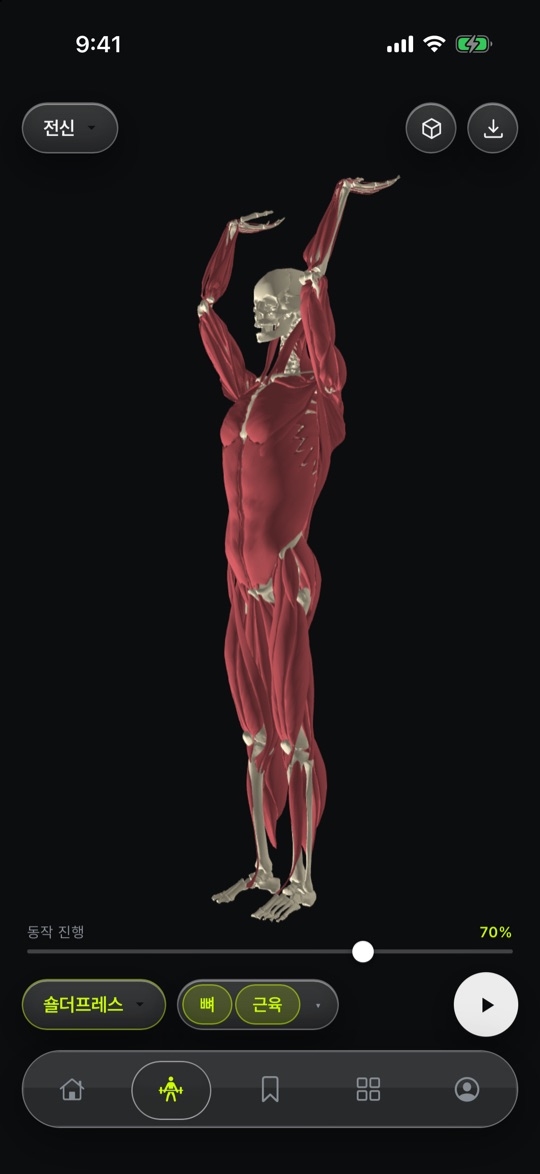
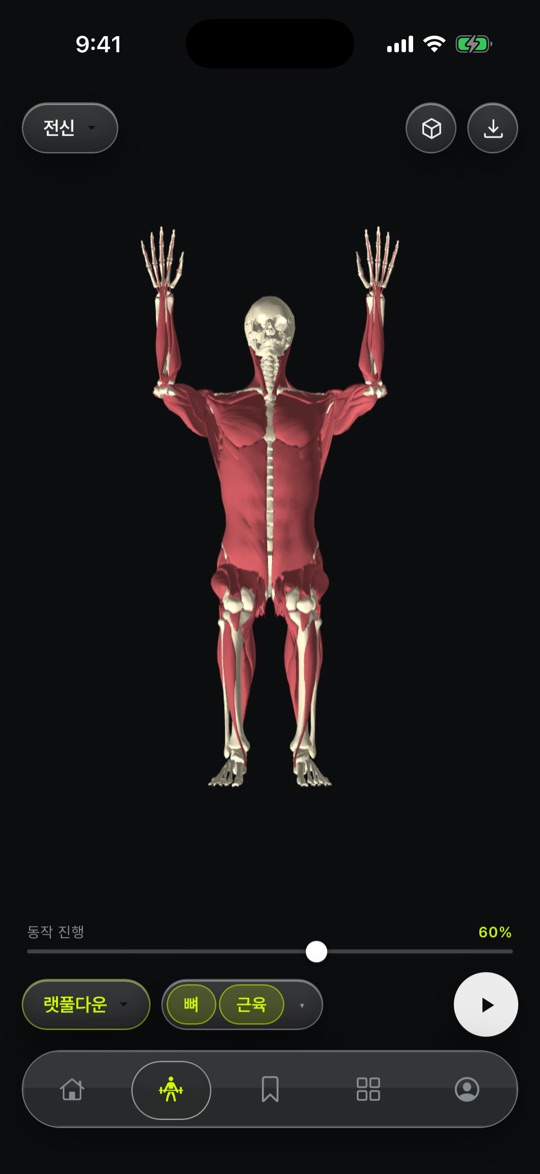
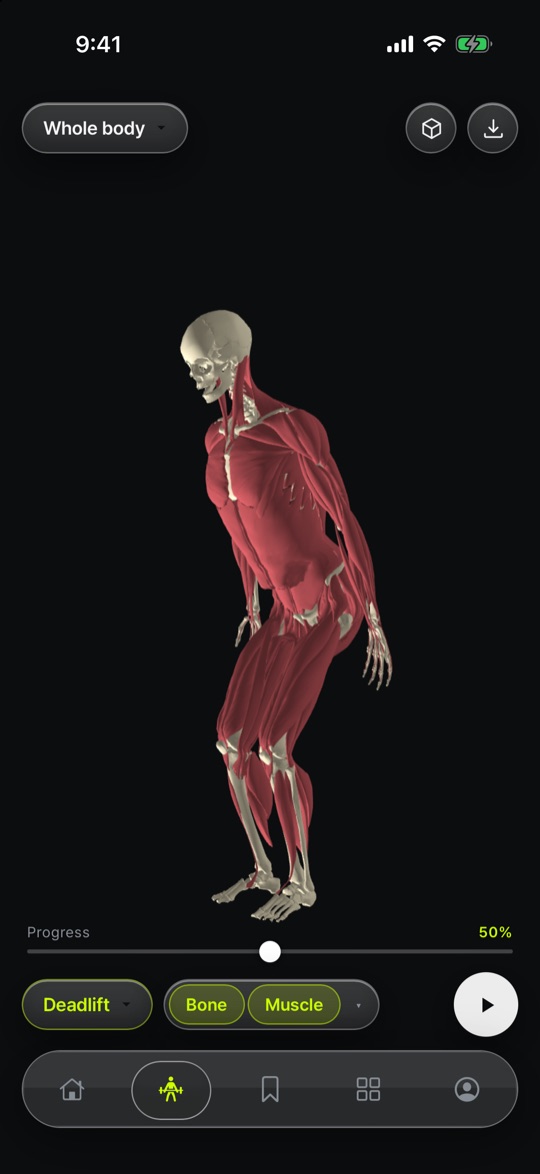
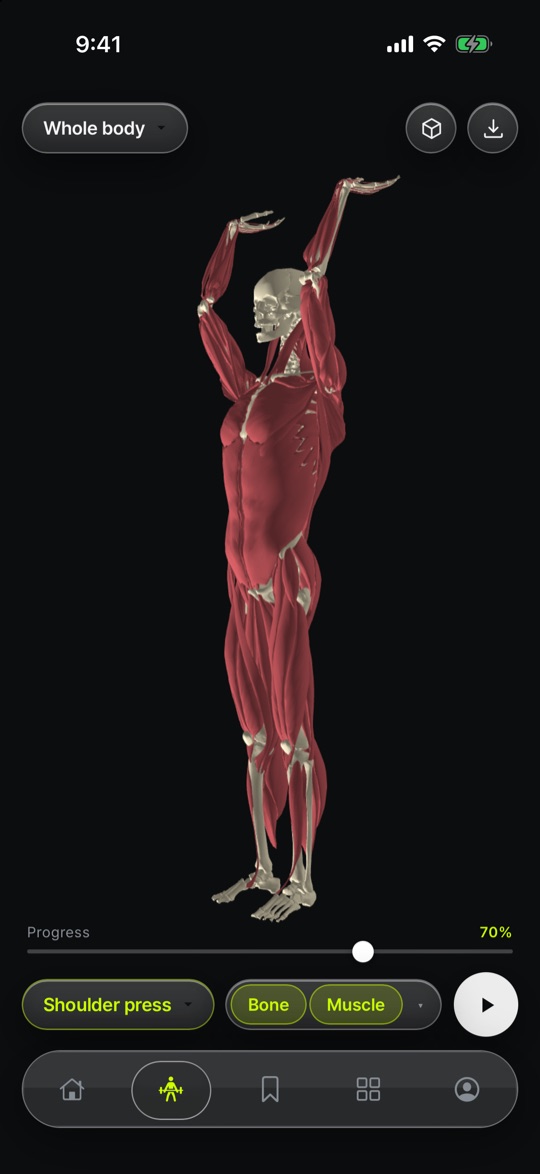
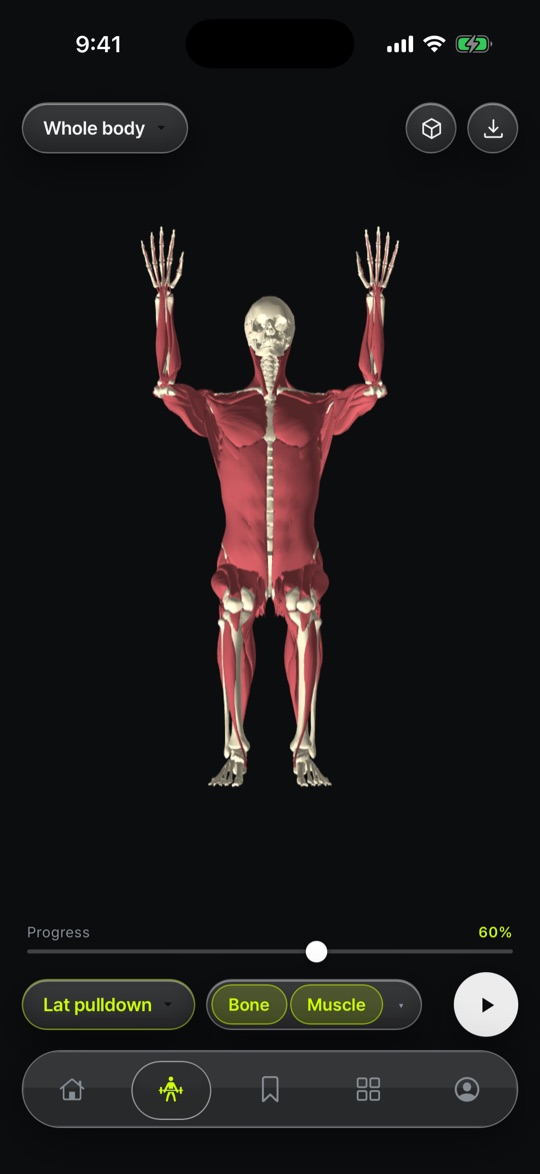
실제 해부 스캔으로 뼈, 근육, 관절을 3D로 돌려 보며 움직임을 배웁니다.Rotate bones, muscles and joints built from real anatomy scans and see how they move.
준비 중In development
기능 보기Features접기Close
3D 해부 학습 앱3D anatomy learning
주요 기능Key features
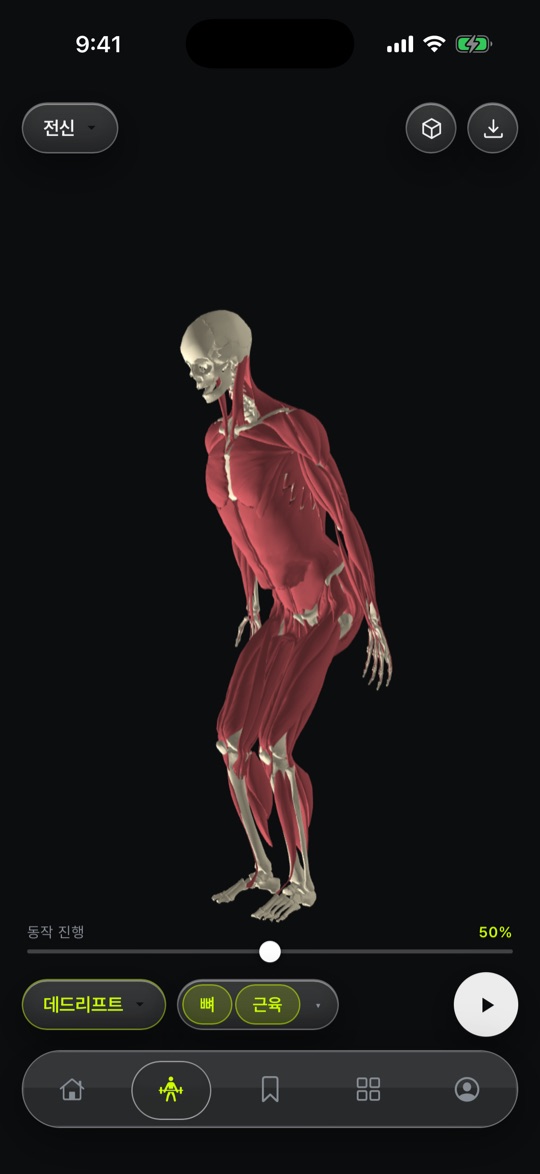
- 실제 해부 스캔 기반 3D3D from real scans실제 해부 스캔으로 만든 모델을 자유롭게 돌리고 확대해서 봅니다.Models built from real anatomy scans — rotate and zoom freely.
- 뼈와 근육 보기Bones & muscles뼈와 근육을 켜고 꺼서 겹쳐진 구조를 하나씩 확인합니다.Toggle bone and muscle layers to read overlapping structures one by one.
- 관절 움직임Joint motion관절 패널로 자세를 바꿔 보며 움직일 때 구조가 어떻게 달라지는지 배웁니다.Use the joint panel to change pose and see how structures shift.
상세 기능Details
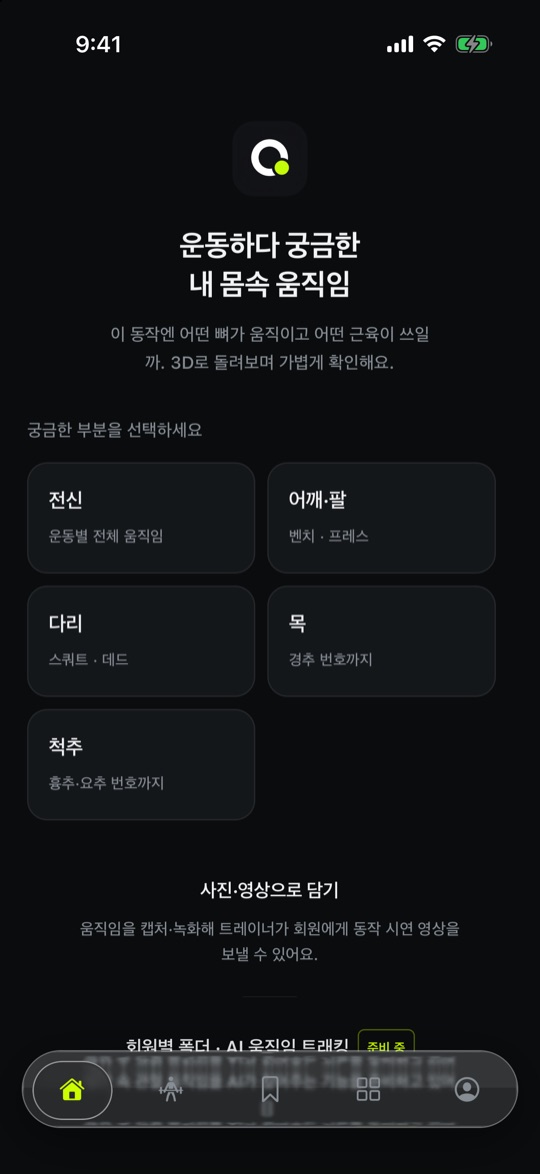
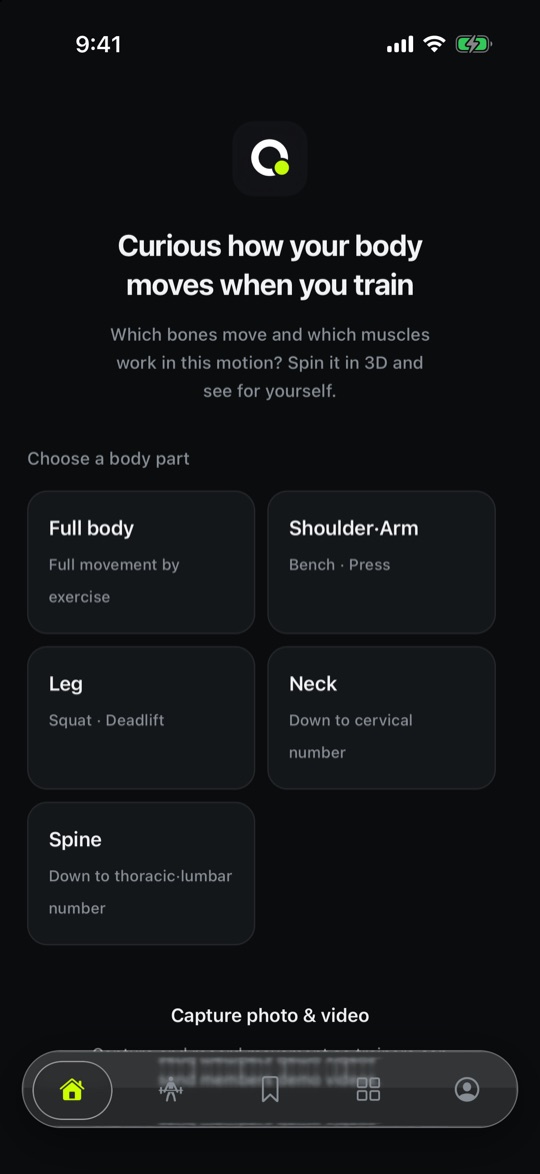
- 전신, 어깨, 다리, 목과 척추를 부위별로 골라 살펴봅니다.Pick full body, shoulder, leg, or neck and spine.
- 정면·측면·후면 등 시점을 바로 바꿔 볼 수 있습니다.Jump between front, side and back viewpoints.
- 이름 표시를 켜서 어느 구조인지 확인합니다.Turn on labels to see which structure is which.
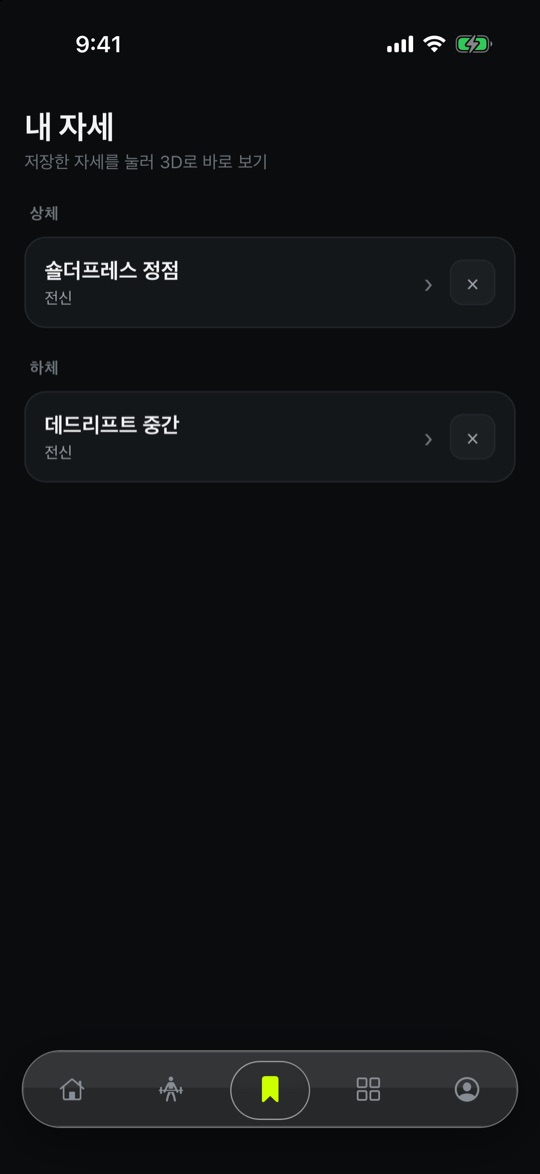
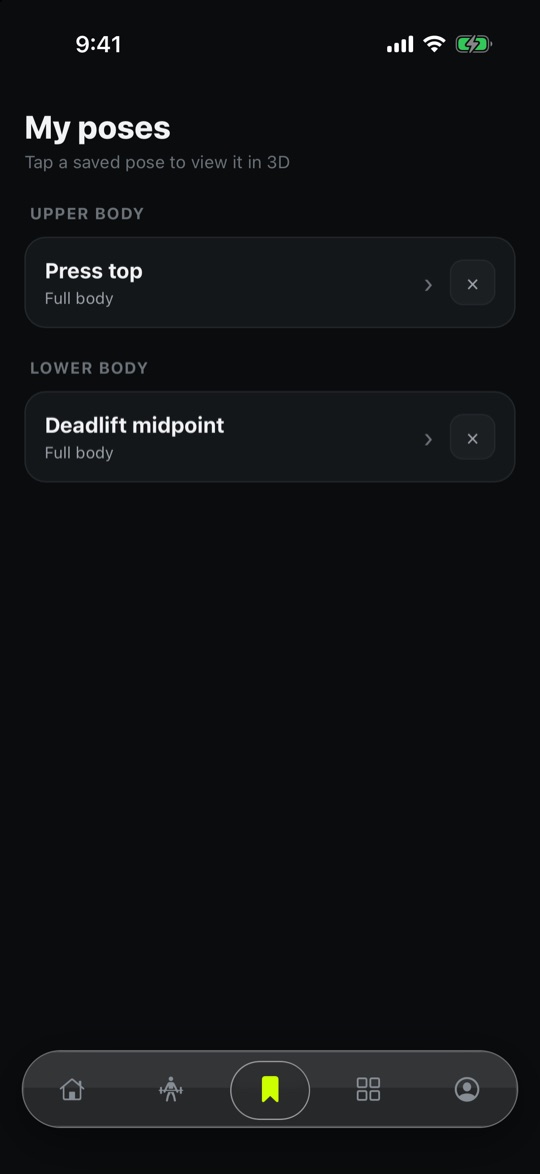
- 보고 있는 자세를 사진이나 영상으로 저장하고, 앱 안 보관함에서 다시 봅니다.Save the pose you're viewing as a photo or video and revisit it in the in-app library.
- 로그인이나 회원가입 없이 바로 쓰고, 서버에 개인 기록을 저장하지 않습니다.No sign-in or account; personal records are not stored on a server.
- 한국어와 English를 지원합니다.Korean and English.
사용법How to use
- 바로 열기Just open it로그인이나 가입 없이 앱을 열면 바로 시작됩니다.No sign-in or account needed. Open the app and start.
- 부위 고르기Choose a region전신, 어깨, 다리, 목과 척추 중 보고 싶은 부위를 고릅니다.Pick full body, shoulder, leg, or neck and spine.
- 돌려 보기Rotate and zoom모델을 손가락으로 돌리고 확대합니다. 정면·측면·후면 시점은 바로 바꿀 수 있습니다.Rotate and zoom the model with your fingers. Jump between front, side and back views.
- 뼈와 근육 켜고 끄기Layers뼈와 근육을 켜고 꺼서 겹친 구조를 하나씩 보고, 이름 표시를 켜서 어떤 구조인지 확인합니다.Toggle bones and muscles to see the layers one by one, and turn on labels to name each structure.
- 움직임 배우기Learn movement관절 패널로 자세를 바꿔 보고, 마음에 드는 장면은 사진이나 영상으로 저장합니다.Change the pose with the joint panel and save a scene as a photo or video.


반려동물 동반 장소 앱Pet-friendly places
우리 아이의 조건에 맞는 카페와 식당을 포함해 반려동물 동반 입장이 가능한 업체를 검색하고, 접종과 건강 기록도 한곳에 모아 둘 수 있습니다.Search cafés, restaurants and other places that welcome pets and fit your pet's needs, and keep vaccination and health records in one place.
준비 중In development
기능 보기Features접기Close
반려동물 동반 장소 앱Pet-friendly places
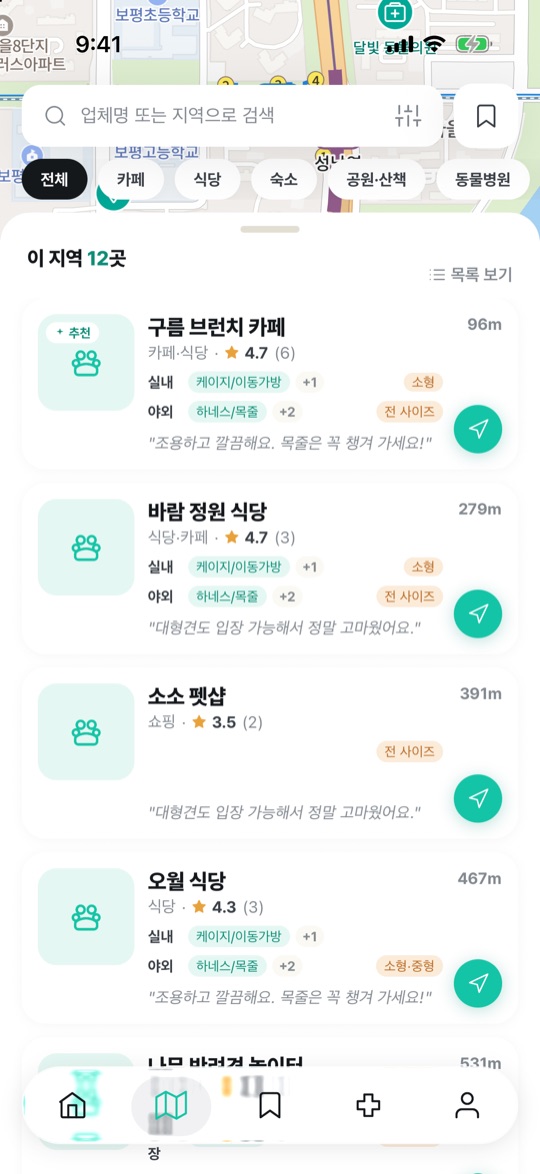
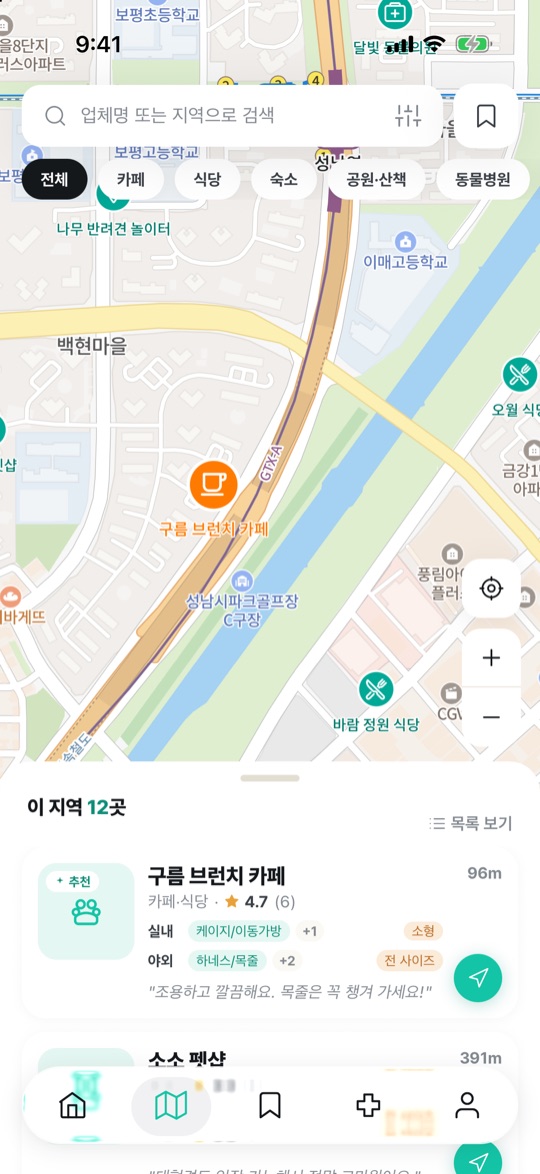
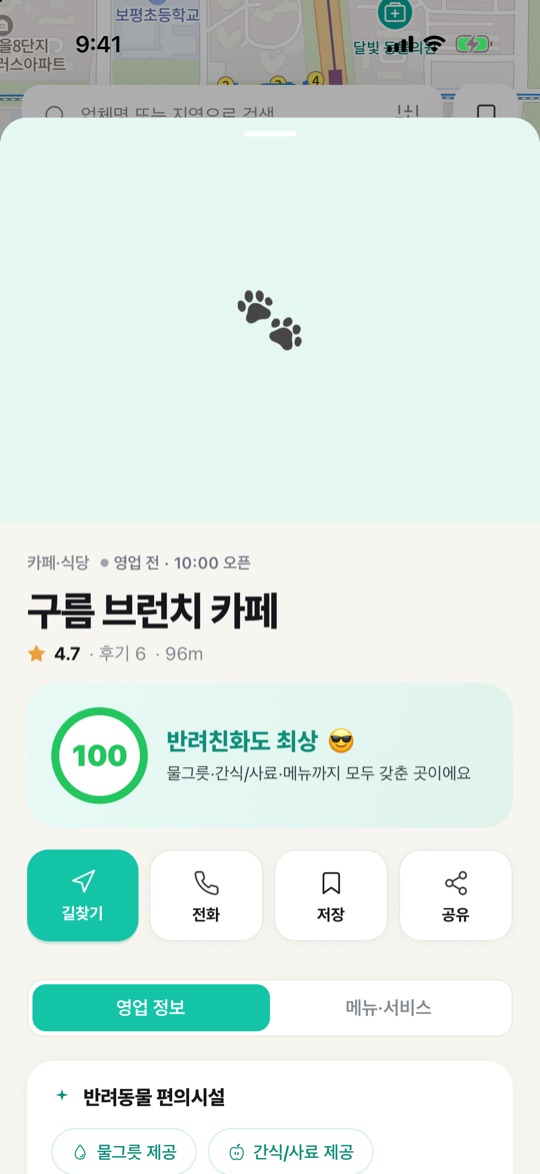
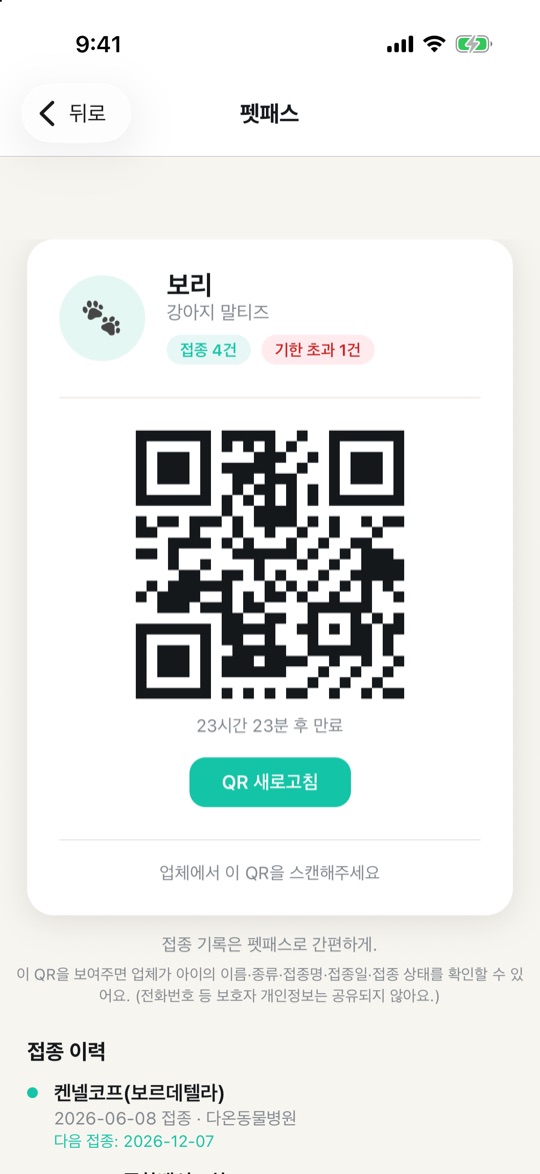
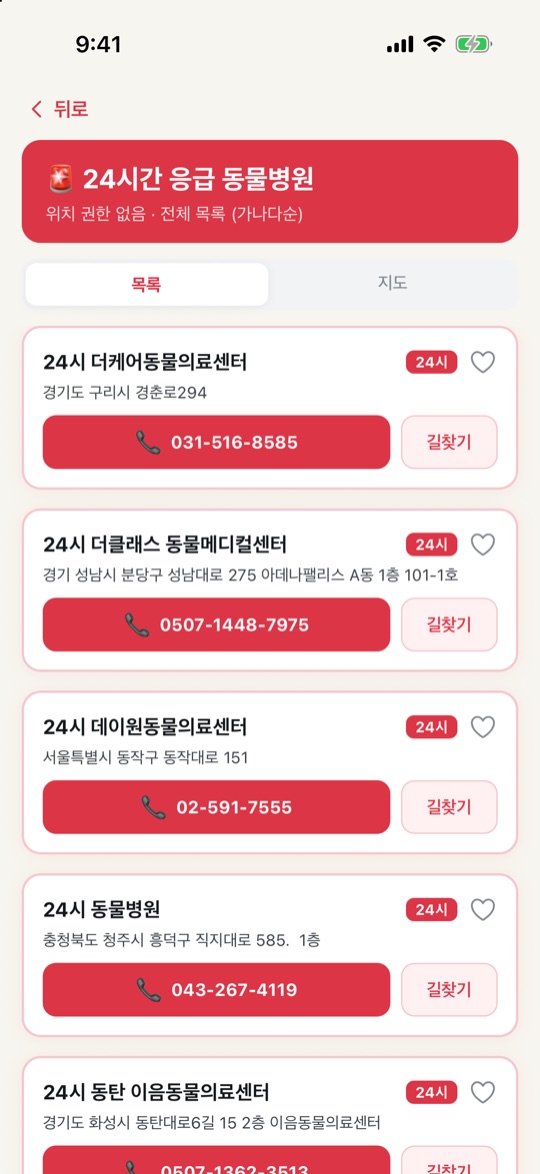
Korean interface화면의 업체와 후기는 샘플 데이터이며, 앱은 현재 한국어로 제공됩니다.Places and reviews shown are sample data. The app is currently available in Korean.
주요 기능Key features
- 우리 아이 맞춤 장소Matched places반려동물의 크기, 챙겨 가는 장비, 견종 제한에 맞는 곳만 골라 보여줍니다.Shows only places that fit your pet's size, gear and breed rules.
- 건강 통합 관리Health in one place건강 기록과 예방접종을 모으고, 접종증명서는 사진으로 찍어 자동 입력합니다.Keep health notes and vaccinations together; scan a certificate to fill it in.
- 펫패스 · 응급 안내Pet Pass & emergency접종 정보를 담은 QR 신분증과, 가까운 24시간 응급 동물병원 안내를 제공합니다.A QR ID with vaccination info, plus nearby 24-hour emergency vets.
상세 기능Details
- 지도에서 장소를 찾고, 업종 13종과 거리·평점·최신순으로 걸러 봅니다.Browse places on a map; filter by 13 categories and sort by distance, rating or newest.
- 장소마다 실내·야외 공간별 입장 조건과 허용 장비, 영업 상태를 확인합니다.See per-area entry rules, allowed gear and opening status for each place.
- 리뷰와 별점을 남기고, 마음에 드는 곳은 찜해서 모아 봅니다.Leave reviews and ratings, and save favorites.
- 여러 마리를 등록하고, 품종 자동완성으로 프로필을 만듭니다.Register multiple pets with breed autocomplete.
- 건강 기록은 13개 신체 항목으로 나누어 목록이나 달력으로 봅니다.Health records are split into 13 body categories, viewable as a list or calendar.
- 백신별 다음 접종일을 자동 계산하고, 7일 전과 하루 전에 알려줍니다.Next vaccine dates are calculated automatically, with reminders 7 days and 1 day before.
- 반려동물 종류와 최근 건강 기록에 맞는 수의사 영상을 추천합니다.Recommends vet videos based on your pet and recent health notes.
- 업체는 사업자 정보로 등록하고, 공간·허용 장비·견종 제한을 직접 설정합니다.Businesses register with their business details and set spaces, allowed gear and breed rules.
사용법How to use
- 우리 아이 등록Add your pet반려동물을 등록합니다. 여러 마리도 되고, 품종은 자동완성으로 고르고 크기와 챙겨 가는 장비를 적습니다.Add your pets (more than one is fine). Pick the breed with autocomplete and set size and gear you bring.
- 장소 찾기Find places지도에서 카페·식당 같은 장소를 찾고, 업종과 거리·평점·최신순으로 걸러 봅니다.Browse the map for cafes, restaurants and more, filtered by type, distance, rating or newest.
- 입장 조건 확인Check the rules장소마다 실내·야외 공간의 입장 조건과 허용 장비, 영업 상태를 확인하고 마음에 들면 찜합니다.See each place's indoor and outdoor rules, allowed gear and opening status, and save the ones you like.
- 건강 기록Health records건강 기록과 예방접종을 남기면 다음 접종일을 자동으로 계산해 7일 전과 하루 전에 알려줍니다.Log health records and vaccines; the next dose date is calculated and you are reminded 7 days and 1 day before.
- 펫패스Pet pass접종 정보가 담긴 QR 신분증을 보여 주고, 급할 땐 가까운 24시간 응급 동물병원을 찾습니다.Show the QR ID with vaccine info, and find the nearest 24-hour emergency vet when you need one.


요리 영상 레시피 앱Recipes from cooking videos
유튜브 요리 영상을 공유하면 AI가 재료와 순서를 레시피로 정리하고, 연결된 업체에서 재료를 바로 구매할 수 있습니다.Share a YouTube cooking video and AI organizes the ingredients and steps into a recipe, then lets you buy the ingredients right away from partner stores.
준비 중In development
기능 보기Features접기Close
요리 영상 레시피 앱Recipes from cooking videos
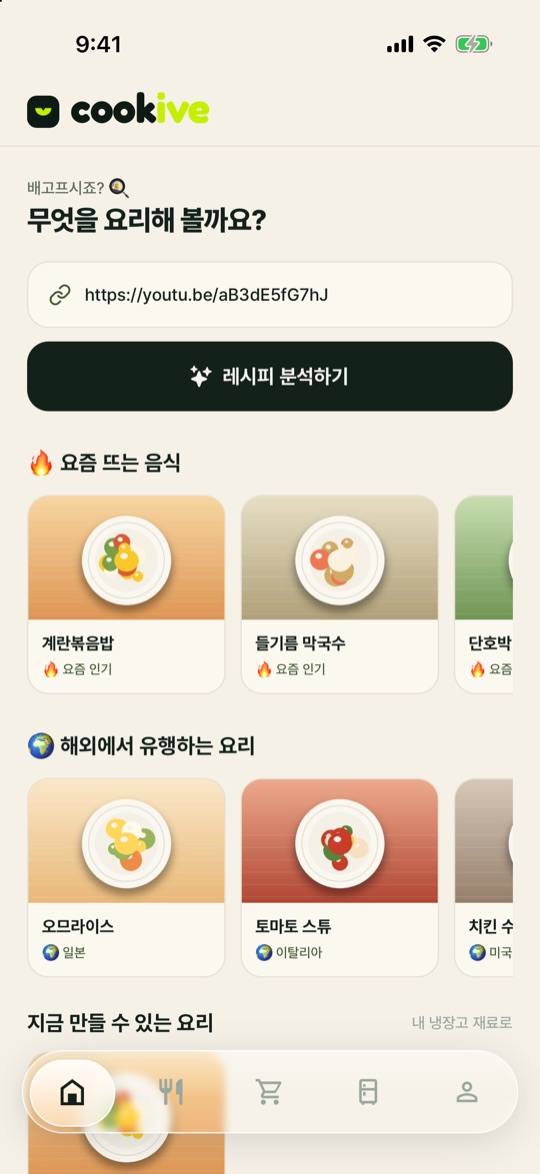
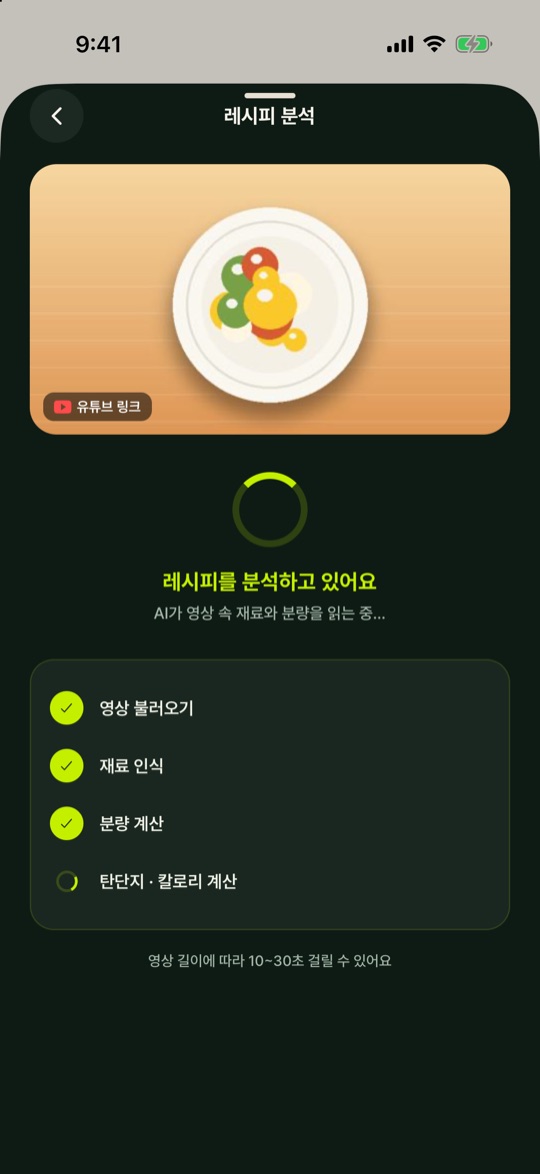
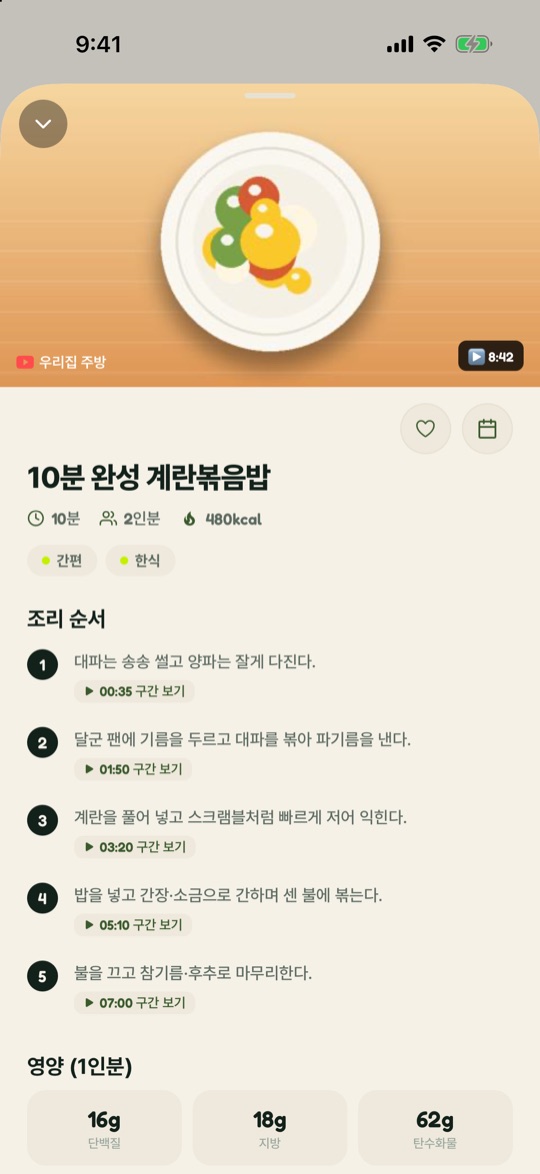
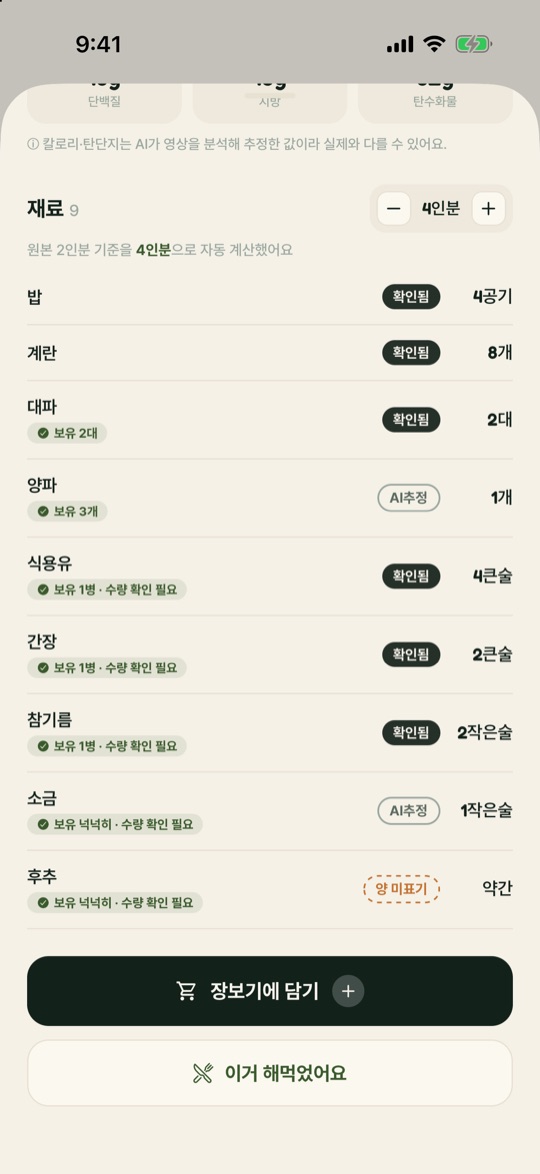
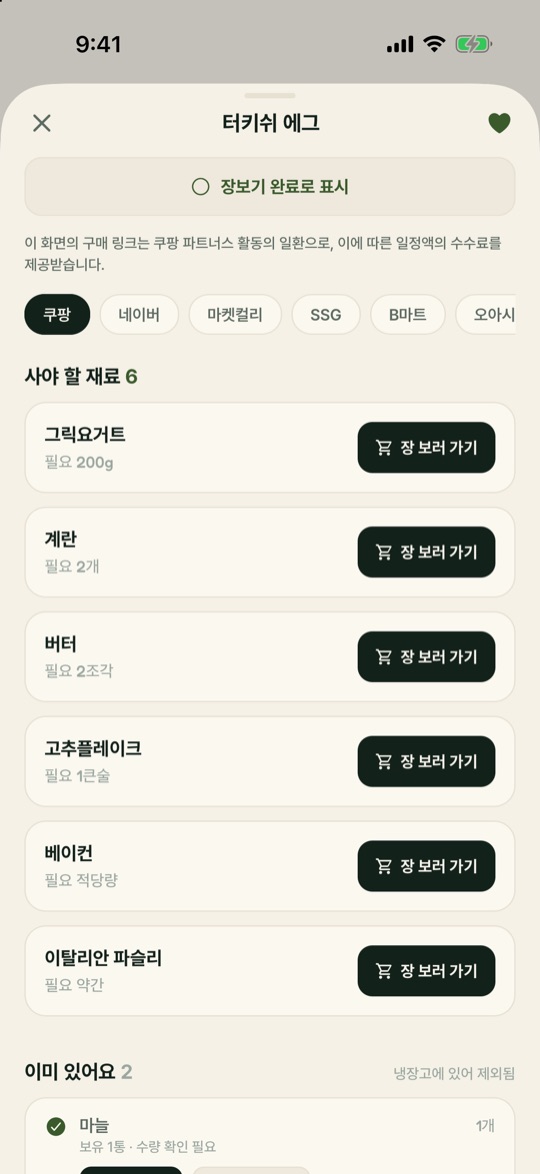
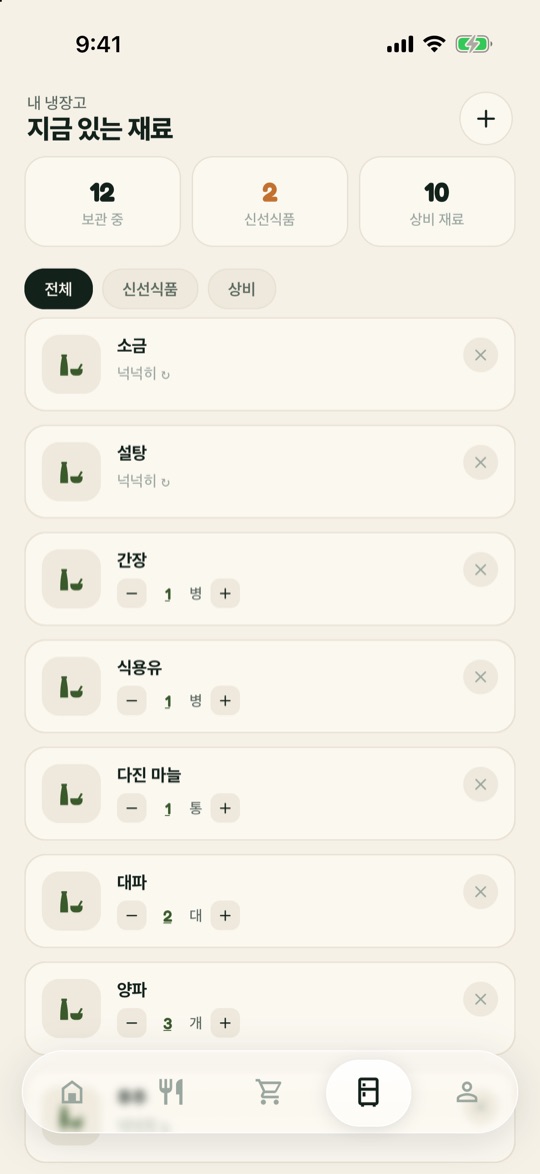
Korean interface화면의 영상 링크·썸네일·레시피는 샘플이며, 앱은 현재 한국어로 제공됩니다.Video link, thumbnails and recipe shown are samples. The app is currently available in Korean.
주요 기능Key features
- 영상에서 레시피로Video to recipe유튜브 링크를 붙여넣거나 공유하면 재료, 분량, 조리 순서를 자동으로 정리합니다.Paste or share a YouTube link and get ingredients, amounts and steps.
- 인분 자동 계산Serving scaler먹을 인분을 바꾸면 모든 재료의 양이 함께 바뀝니다.Change the servings and every ingredient amount follows.
- 장보기 연결Shopping list필요한 재료를 장보기 리스트로 담고 구매 링크로 이어집니다.Add ingredients to a shopping list and jump to purchase links.
상세 기능Details
- 재료마다 확인됨, AI 추정, 양 미표기로 근거를 표시해서 믿을 수 있는 정도를 알려줍니다.Each ingredient is labeled confirmed, AI-estimated or unspecified, so you know how far to trust it.
- 조리 단계를 누르면 영상의 해당 구간으로 이동합니다.Tap a step to jump to that moment in the video.
- 탄수화물·단백질·지방을 분석하고, 더 건강한 재료로 바꾸는 방법을 추천합니다.Analyzes carbs, protein and fat and suggests healthier swaps.
- 레시피는 저장하고 직접 고칠 수 있고, 해먹은 레시피로 따로 분류합니다.Save and edit recipes, and sort the ones you've actually cooked.
- 요리 사진을 기록으로 남기고, 레시피를 검색합니다.Keep photos of what you cooked and search your recipes.
- 냉장고 재료의 유통·소비기한을 관리합니다.Track expiry dates for ingredients in your fridge.
- 인기 레시피와 많이 해먹는 레시피를 추천합니다.Popular and most-cooked recipes are recommended.
- iOS 앱과 웹 모두에서 쓸 수 있습니다.Available on iOS and on the web.
사용법How to use
- 링크 붙여넣기Paste a link유튜브 요리 영상 링크를 붙여넣거나 공유합니다.Paste or share a YouTube cooking video link.
- 레시피 확인Read the recipe재료와 분량, 조리 순서가 정리됩니다. 재료마다 확인됨·AI 추정·양 미표기가 표시되어 믿을 정도를 알 수 있습니다.Ingredients, amounts and steps are organized. Each ingredient is labeled confirmed, AI-estimated or unspecified.
- 인분 맞추기Set servings먹을 인분을 바꾸면 모든 재료의 양이 함께 바뀝니다.Change the servings and every amount follows.
- 따라 만들기Cook along조리 단계를 누르면 영상의 해당 구간으로 이동합니다. 필요한 재료는 장보기 리스트에 담습니다.Tap a step to jump to that moment in the video. Add what you need to the shopping list.
- 저장과 기록Save and keep레시피를 저장하고 필요하면 고칩니다. 해먹은 레시피는 따로 분류하고 요리 사진도 남깁니다.Save and edit recipes, mark the ones you cooked, and keep photos of the dish.

False Alarm
랜덤 시각 알람 앱Random-time alarm
뻔하게 울리는 알람에 무뎌진 당신을 위한 랜덤 알람입니다. 정해 둔 범위 안에서 불시에 울리니, 긴장하십시오.A random alarm for anyone numb to predictable alarms. It rings at an unexpected moment within the range you set, so stay alert.
심사 중In review
화면과 기능 보기Screens & features접기Close
False Alarm
랜덤 시각 알람 앱Random-time alarm
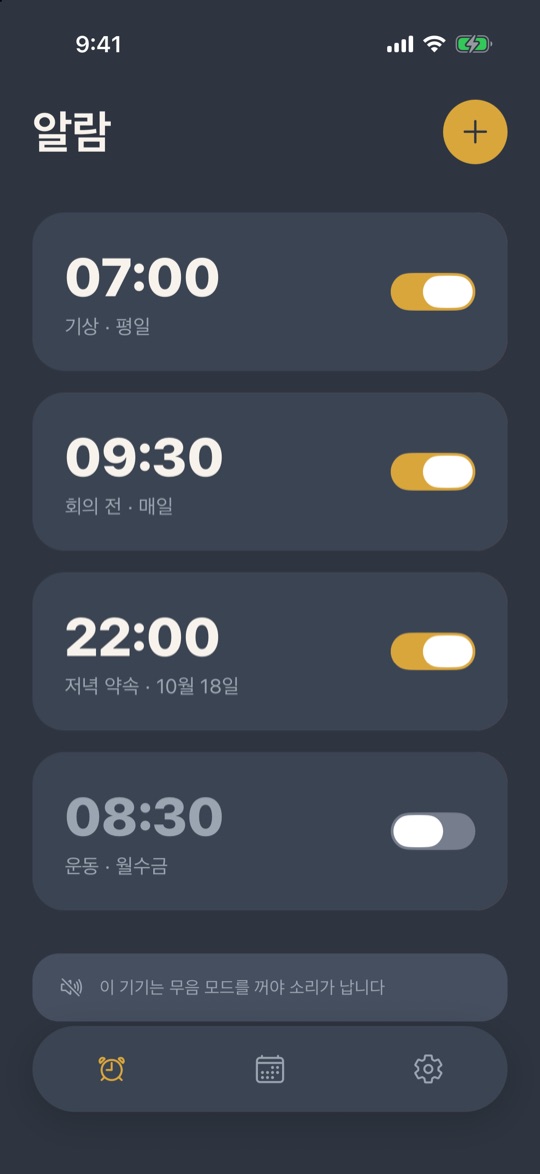
주요 기능Key features
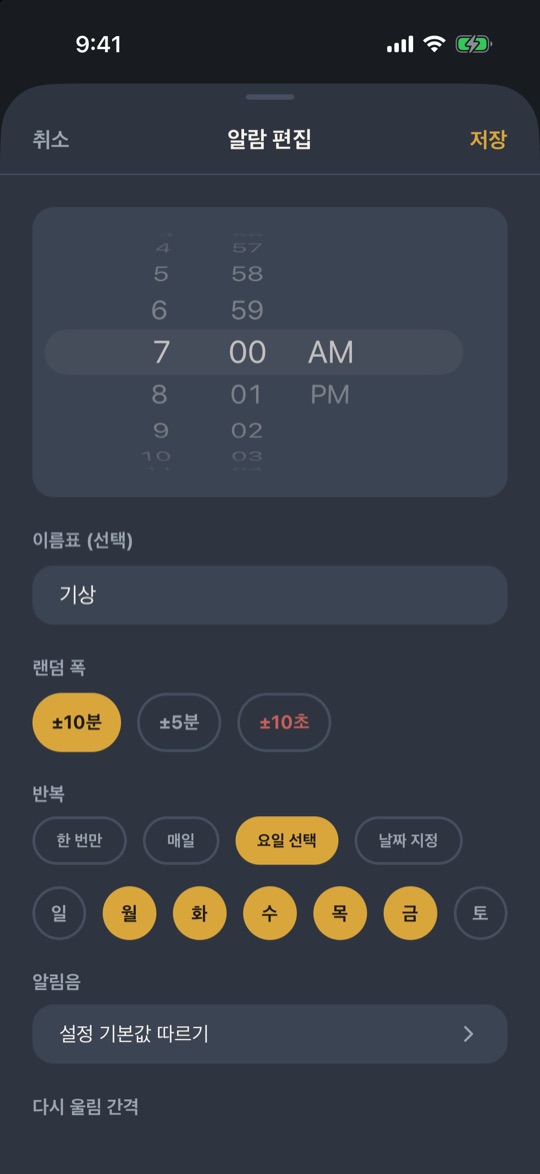
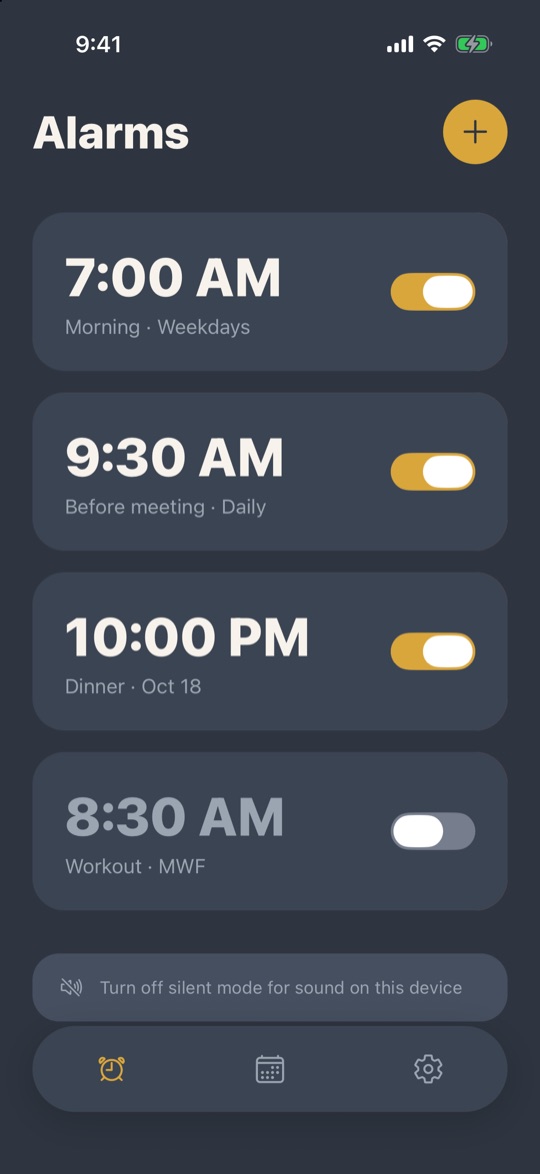
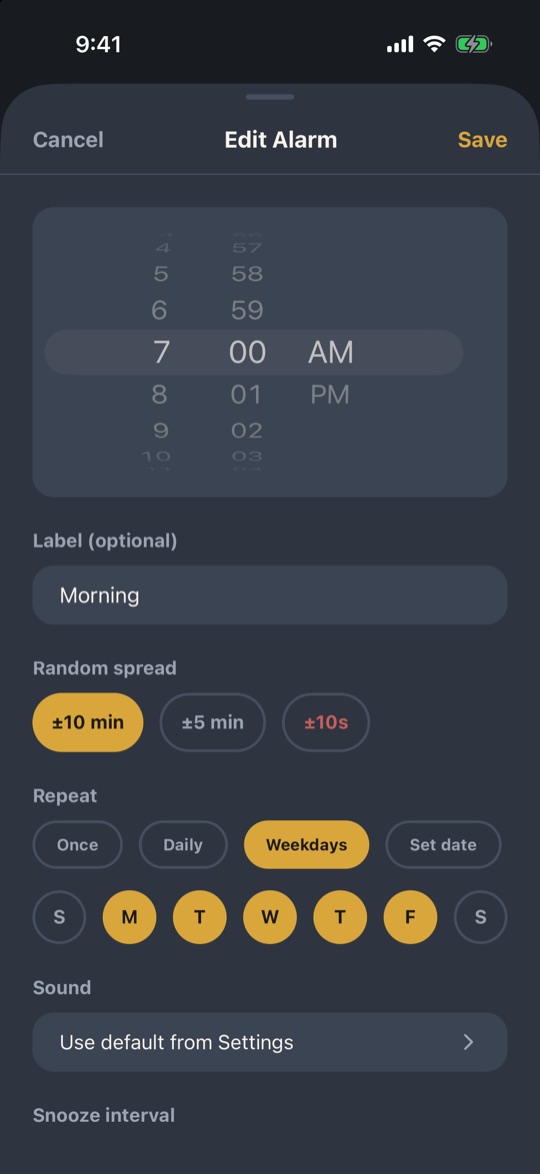
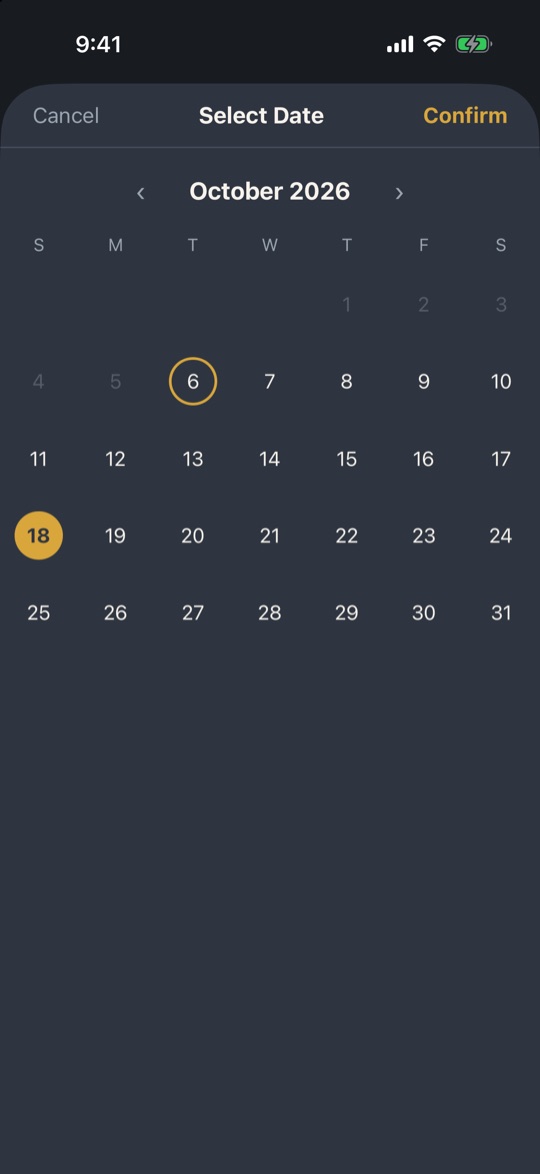
- 랜덤 시각 알람Random-time alarms설정한 시각의 앞뒤 5분 또는 10분 안에서 매번 다른 시각에 울립니다.Rings at a different moment each time, within 5 or 10 minutes either side of your time.
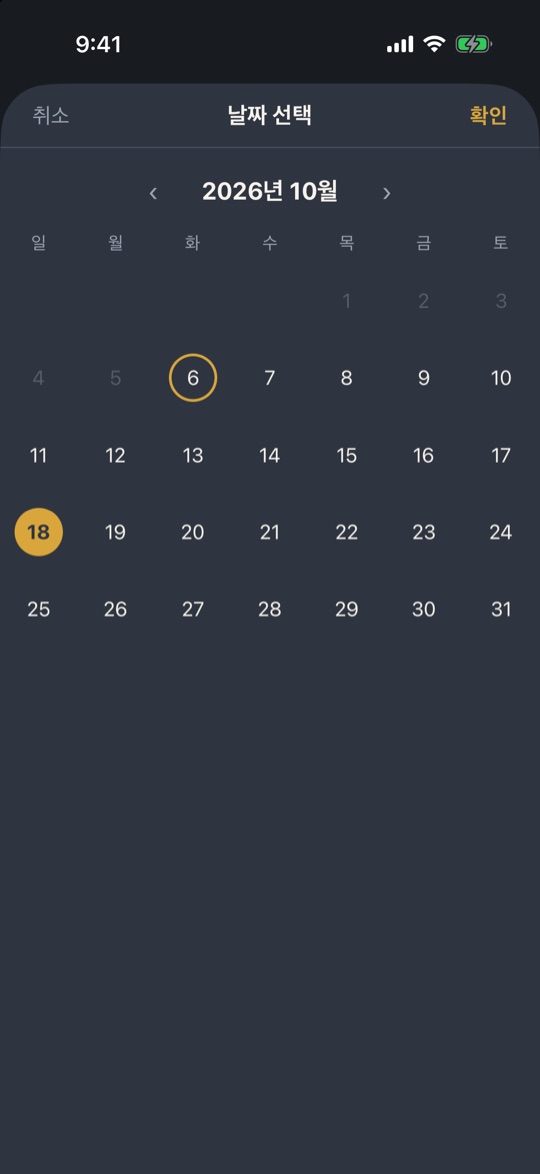
- 날짜·반복 설정Date and repeat특정 날짜, 한 번만, 매일, 원하는 요일 반복 중에서 고릅니다.Pick a date, once, every day, or chosen weekdays.
- 무음 모드에서도 울림Rings on silentiOS 26 이상에서는 무음 모드에서도 울립니다. 그보다 낮은 iOS에서는 앱이 무음을 꺼 달라고 안내합니다.On iOS 26 and later it rings even in silent mode. On earlier iOS the app tells you to turn silent off.
상세 기능Details
- 알람마다 이름표를 붙여서 목록에서 무슨 알람인지 바로 알아봅니다.Name each alarm so you can tell them apart in the list.
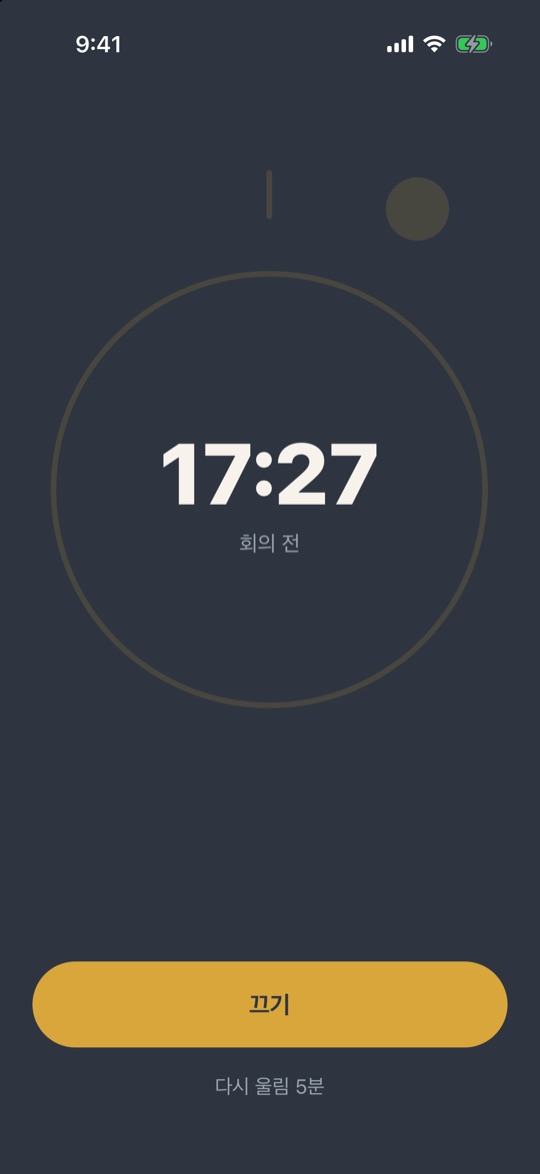
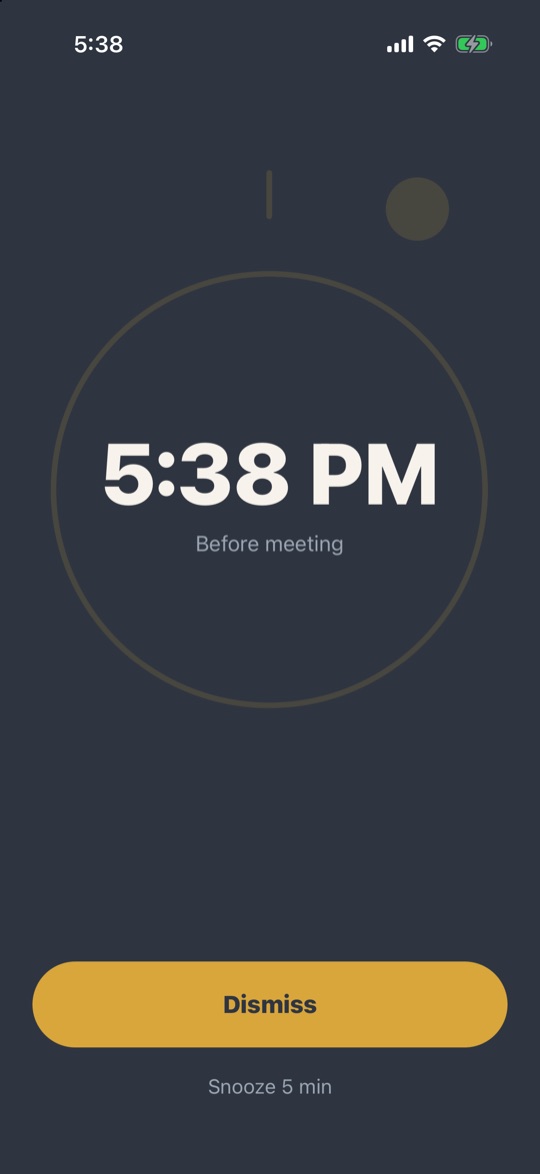
- 끄기와 다시 울림(스누즈)을 지원합니다.Dismiss or snooze when it rings.
- 알람 카드를 복제하거나 삭제할 수 있고, 삭제 전에는 항상 확인합니다.Duplicate or delete an alarm card; deleting always asks first.
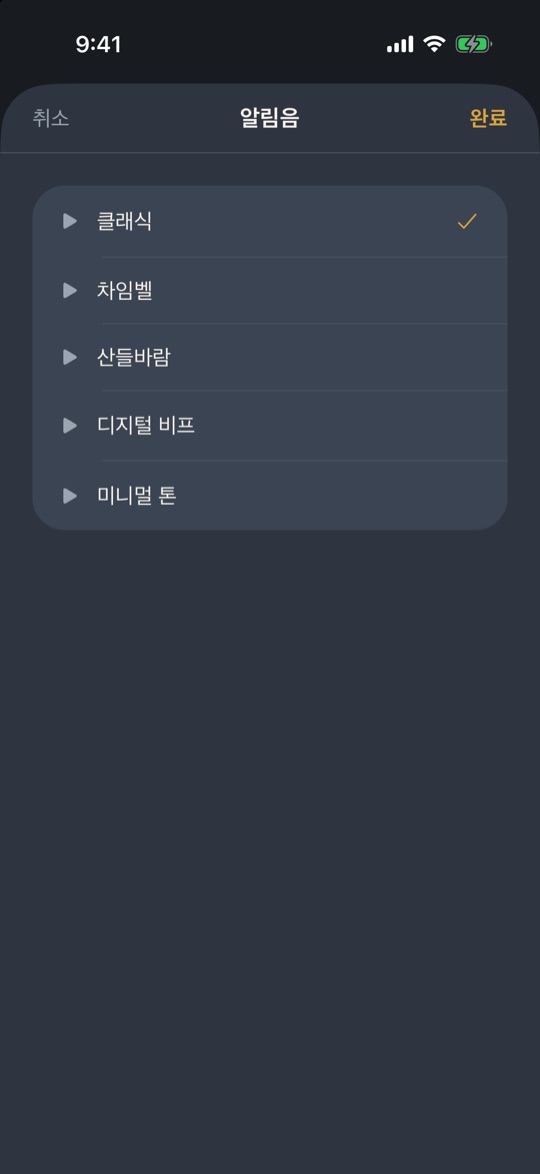
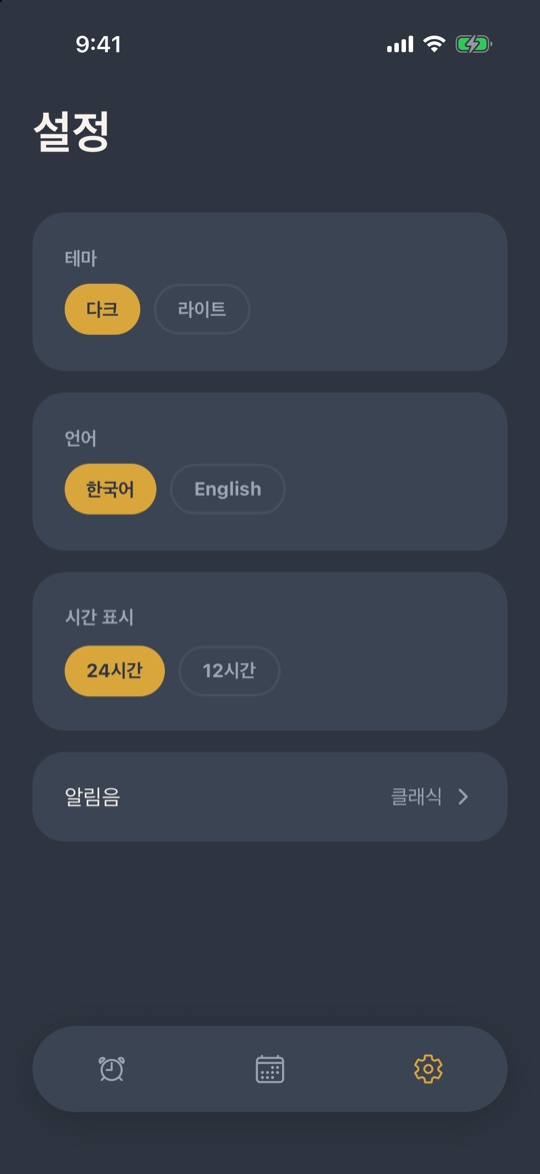
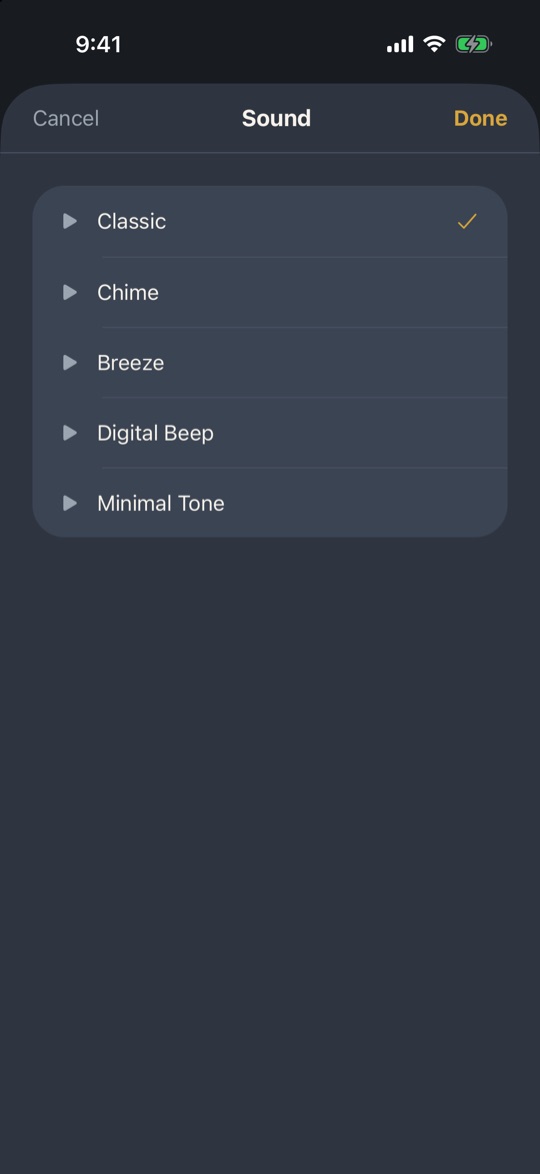
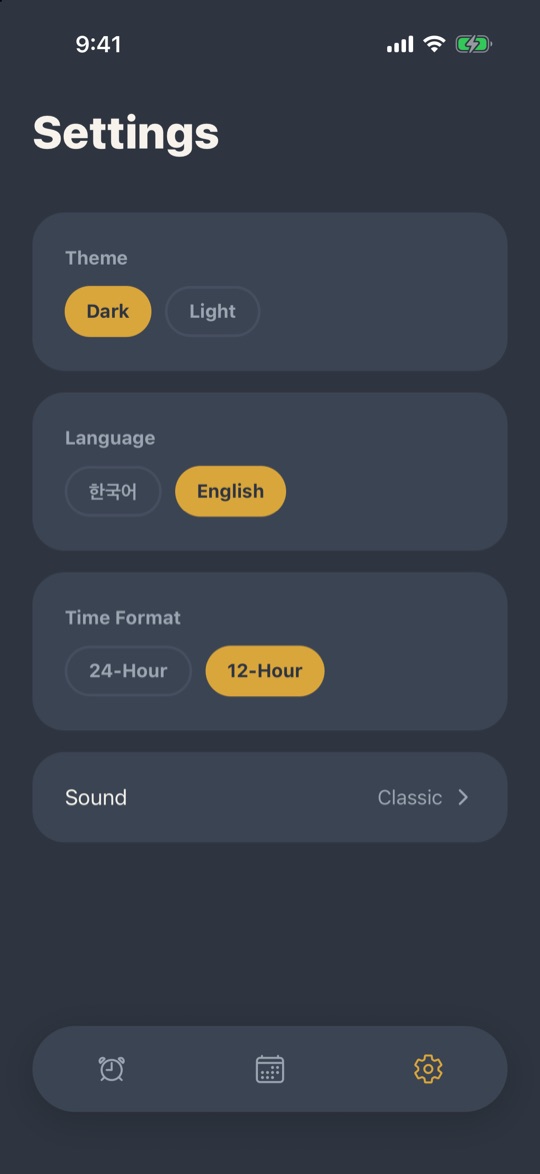
- 알림음을 고르고 진동은 따로 켜고 끌 수 있습니다.Choose the alert sound and turn vibration on or off separately.
- 라이트·다크 테마와 한국어·English를 설정에서 바꿉니다.Switch light or dark theme and Korean or English in settings.
- 로그인이나 회원가입 없이 바로 쓰고, 광고도 없습니다.No sign-in or account, and no ads.
사용법How to use
- 알람 추가Add an alarm목록에서 + 를 눌러 새 알람을 만듭니다.Tap + on the list to create an alarm.
- 시각과 폭 정하기Set time and range날짜나 시각을 정하고, 랜덤 폭을 ±5분 또는 ±10분 중에서 고릅니다. 반복(한 번, 매일, 요일)과 이름표도 정합니다.Set the date or time and choose a random range of ±5 or ±10 minutes. Pick repeat (once, daily, weekdays) and a label.
- 저장Save저장하면 알람이 목록에 올라옵니다. 실제로 울리는 시각은 목록에 보이지 않습니다.Save and it appears in the list. The actual ring time is not shown there.
- 울릴 때When it rings끄거나 다시 울림(스누즈)을 누릅니다. 같은 알람도 울리는 시각은 매번 다릅니다.Dismiss or snooze. The same alarm rings at a different moment each time.
- 설정Settings설정에서 알림음, 진동, 라이트·다크 테마, 한국어·English를 바꿉니다.In Settings, change the sound, vibration, light or dark theme, and Korean or English.
아트워크Artwork
물, 빛, 반사라는 세 가지 소재로 아트워크를 전개해 나갑니다.We develop artwork from three materials: water, light and reflection.
인터랙티브 아트워크 · Claude CodeInteractive artwork · Claude Code1 / 3
오브제Objects
준비 중Coming soon